en | 73
en
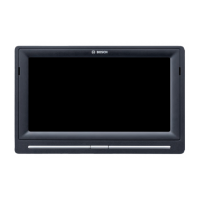
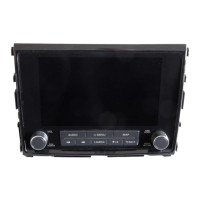
1 2 3 4
1 button
When the device is in normal operating
mode:
Short tap: Mute the device / cancel mute
Long tap: Switch the device to standby
mode
When the device is in standby mode:
Switch the device to normal operating
mode
2
Display
3 SD card slot
4 button
Open the Home menu
5
button
Activate voice control
6 button
In the Home menu:
Open the menu for sound and system
settings
In the operating modes:
Open the settings menu
7
Volume control
Controls


 To Next Page