User manual WTS Ver.1.16
Seite 14 von 52
8 INSTRUMENT COMMISSIONING
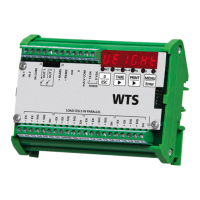
Upon switch-on, the display shows in sequence:
- instrument model (e.g.: “
”);
- “
” followed by the software code (e.g.:
);
- program type:
(base);
- “
” followed by the software version (e.g.:
);
- “
” followed by the hardware code (e.g.:
);
- the serial number (e.g.:
);
Check that the display shows the weight and that when loading the load cells there is an
increase in weight. If there is not check and verify the connections and correct positioning of
the load cells.
- If the instrument has already been theoretical CALIBRATED (plant system
identification tag present on the instrument and on the cover: load cell’s rated data already
entered):
o Reset to zero (follow the procedure in paragraph TARE WEIGHT ZERO SETTING)
o Check the calibration with sample weights and correct the indicated weight if necessary
(follow the procedure in paragraph REAL CALIBRATION (WITH SAMPLE
WEIGHTS)).
- If the instrument HAS NOT BEEN CALIBRATED (missing plant system identification tag)
proceed with calibration:
o If load cells data are unknown, follow the procedure in paragraph REAL
CALIBRATION (WITH SAMPLE WEIGHTS)
o Enter the rated data of load cells following the procedure given in paragraph
THEORETICAL CALIBRATION
o Reset to zero (follow the procedure in paragraph TARE WEIGHT ZERO SETTING)
o Check the calibration with sample weights and correct the indicated weight if necessary
(follow the procedure in paragraph REAL CALIBRATION (WITH SAMPLE
WEIGHTS)).
- If you use the analog output, set the desired analog output type and the full scale value
(see paragraph ANALOG OUTPUT).
- If you use serial communication, set the related parameters (see paragraph SERIAL
COMMUNICATION SETTING).
- If setpoints are used, set the required weight values and the relevant parameters (see
paragraphs SETPOINTS PROGRAMMING and OUTPUTS AND INPUTS
CONFIGURATION).


 To Next Page