User manual WTS Ver.1.16
Seite 25 von 52
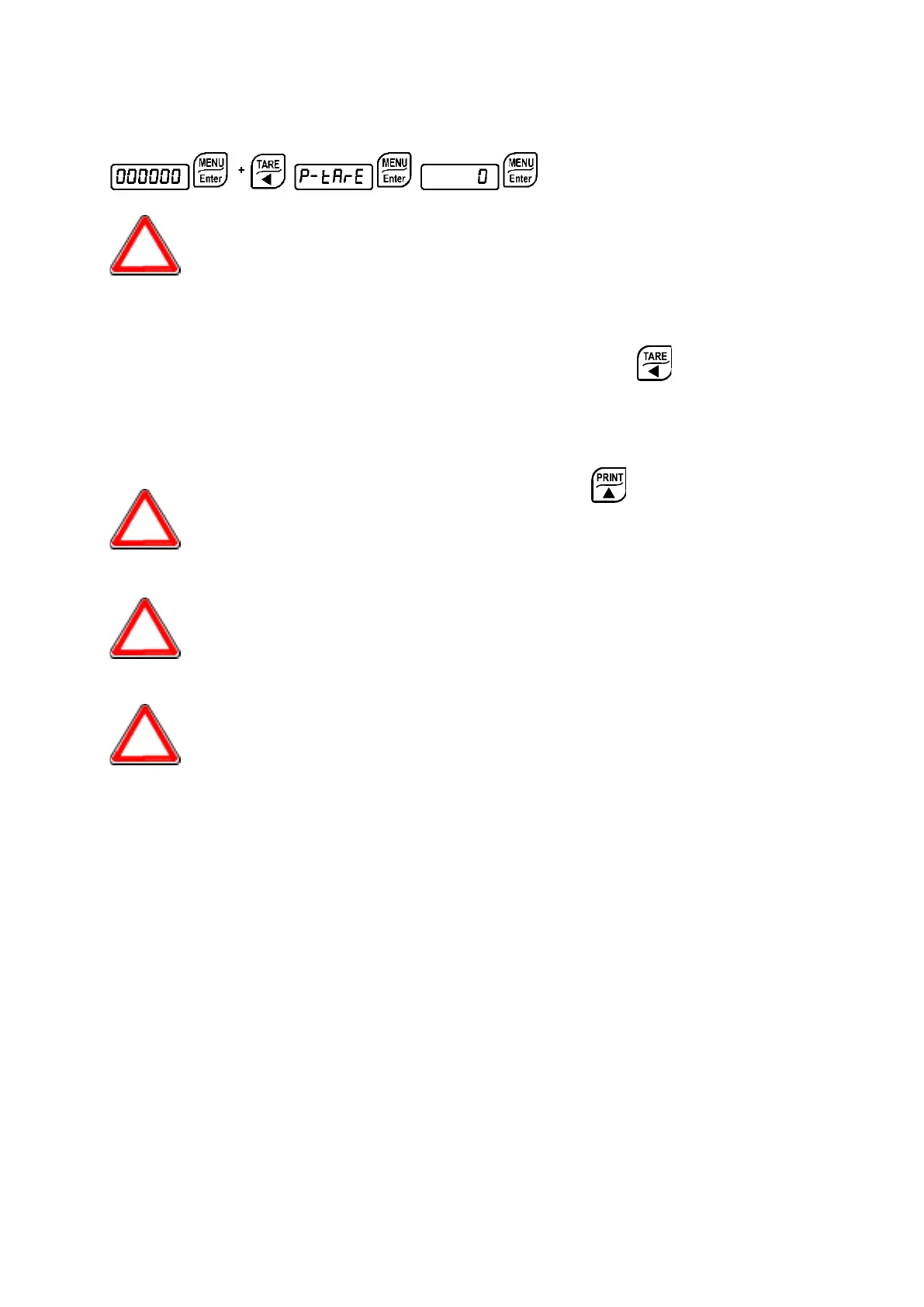
9.8 PRESET TARE (SUBTRACTIVE TARE DEVICE)
It is possible to manually set a preset tare value to be subtracted from the
display value provided that the
≤ max capacity condition is verified.
After setting the tare value, going back to the weight display, the display shows the net
weight (subtracting the preset tare value) and the NET LED lights up to show that a tare has
been entered.
To delete a preset tare and return to gross weight display, hold down for about 3
seconds or keep the NET/GROSS input (if any) closed for the same length of time
(3 seconds). The preset tare value is set to zero. The NET LED is turned off when the gross
weight is displayed once again.
During the net weight displaying, keep pressed the key to temporarily
display the gross weight. As soon as the key is released, the net weight will be
displayed again.
IF A SEMI-AUTOMATIC TARE (NET) IS ENTERED, IT IS NOT POSSIBLE TO
ACCESS THE ENTER PRESET TARE FUNCTION.
IF A PRESET TARE IS ENTERED, IT’S STILL POSSIBLE TO ACCESS THE
SEMI-AUTOMATIC TARE (NET) FUNCTION. THE TWO DIFFERENT TYPES
OF TARE ARE ADDED.
ALL THE SEMI-AUTOMATIC TARE (NET) AND PRESET TARE FUNCTIONS
WILL BE LOST WHEN THE INSTRUMENT IS TURNED OFF.


 To Next Page