Icon Description
A TMC receiver is connected and a radio station with TMC broadcast is received.
There are new, unread Traffic events.
A part of the route is bypassed based on Traffic events.
A part of the route is mentioned in Traffic events but it has not been bypassed (for
example, even the best detour would be too long) or it could not be bypassed (for
example, the destination is on a congested street).
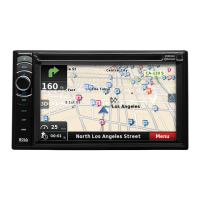
The following information can be seen in the three data fields shown on the map screen. Tap this area
to open the Trip Information screen where you can select which values to be shown in these three
fields.
When there is no active route, these fields show the following information: current speed, compass
and the current time of day.
Icon Type More information
Compass
Shows the direction of your heading both when the map is
automatically rotated (3D) and when the map is always facing
North (2D).
Speed
information
There are speed values that can be shown:
x Current speed
x Speed limit on the current road
Time information
There are time values that can be shown:
x Current GPS time
x Time remaining to reach the destination
x Time remaining to reach the next via point
x Estimated arrival time at the destination
x Estimated arrival time at the next via point
Distance
information
There are distance type values that can be shown:
x Distance remaining to reach the destination
x Distance remaining to reach the next via point
x Current altitude
18


 To Next Page