Treadmill 10 and 22: How can I adjust the walking belt alignment or
tension?
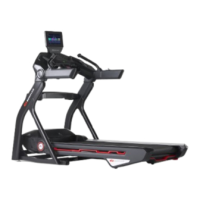
Follow this troubleshooting guide to help resolve issues involving walking belt alignment and tension on the BowFlex Treadmill
10 and Treadmill 22.
Some common complaints may include:
Belt is unaligned/out of alignment
Belt is off center
Belt isn't rolling properly under belt guides
Belt moves out of place during use
Belt slips or is too loose
Belt is too tight and doesn't move
Follow these steps to troubleshoot the issue
Tools you may need:
Phillips head screwdriver
6mm hex/Allen wrench, or the wrench from the hardware
card included with your machine
1. Check to make sure that the walking belt's edges are both covered by the plastic side covers. If adjustments are
necessary, refer to the "Aligning the Walking Belt" section of theservice manual[13650.A].
2. Check for deformed belt guides while inspecting the belt. If any belt guides are deformed or damaged, order Belt
Guides[13650.B].If the belt does not move while adjusting belt alignment, order a Rear Roller[13650.C].
3. Press the START button and set the speed on your treadmill to the lowest setting. Hold onto something to keep
yourself steady and try to stop the belt with your foot. Wear proper footwear and be careful to not lose your footing.
If the belt slips, adjust the walking belt's tension. Refer to the "Adjusting the Belt Tension" section of theservice
manualto make adjustments[13650.D].
4. If the issue persists, turn off your treadmill and unplug the power cord. Wait 5 minutes before continuing, then
remove the motor cover to check the drive belt and make sure it is tight. Use a Phillips head screwdriver to remove
the 5 screws from the motor cover (reference 1) and set the cover to the side. You should be able to see the drive bel
after removing the motor cover, before continuing with further disassembly (reference 2).
(Reference 1)
ID:13650.1













 To Next Page