BowFlex Treadmill 10 & 22 - RESET MACHINE
"Procedure 3"
Applicable for the Treadmill 10 & 22 only
Follow these steps to reset the treadmill
1. Please note, the reset machine procedure will wipe the workout data on your machine.
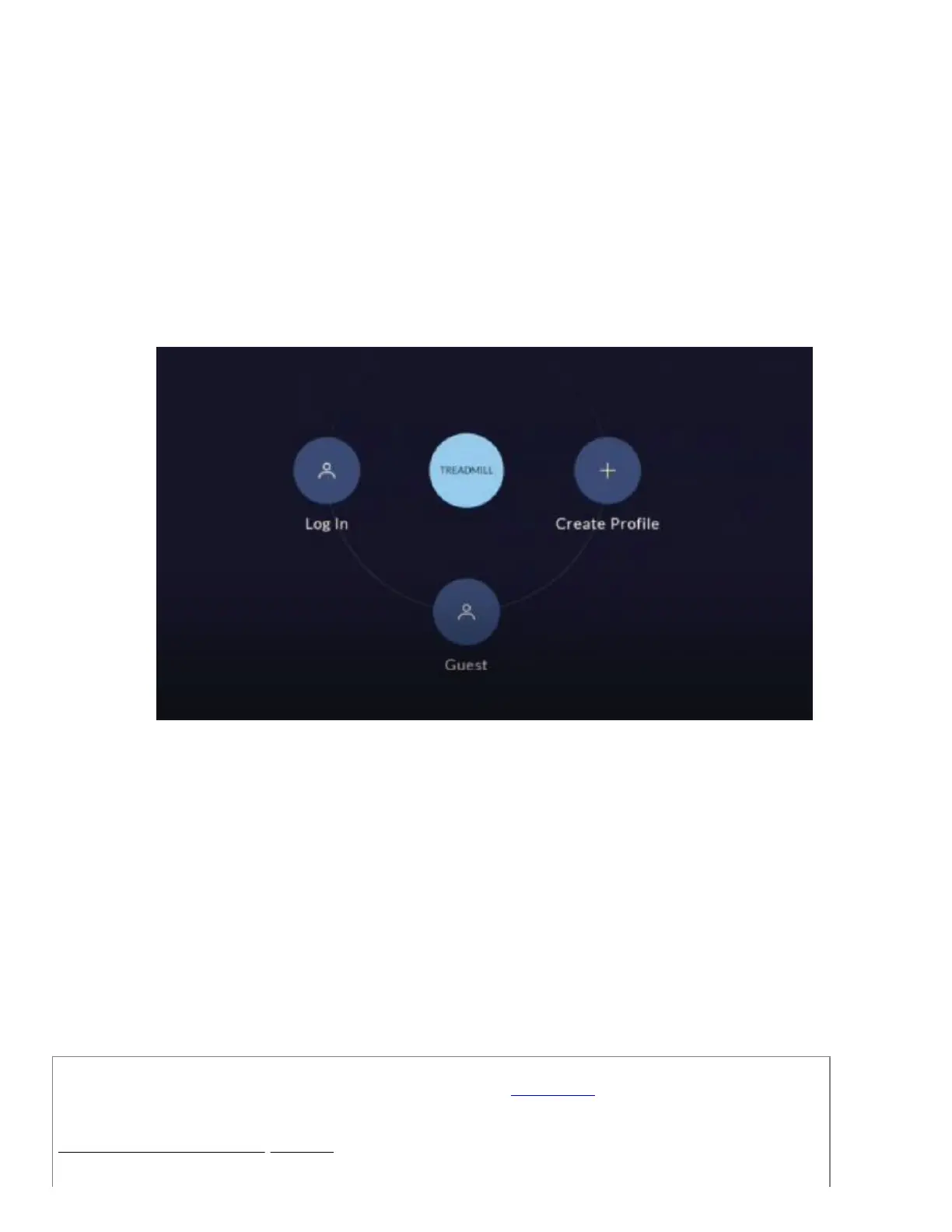
2. From the Start-Up screen (reference 1), tap on the upper-right corner of the Console Display 10 times. The Console
will display the “Advanced User Actions” menu.
(Reference 1)
The Start-Up screen displays the Log In, Guest, and Create Profile options for using JRNY on your machine.
3. From the “Advanced User Actions” menu, tap on CLEAR PREFERENCES.
4. The Console will display a RESTART message and will reset the machine.
5. Turn the power off to the machine. The machine will be fully reset when turned on.
Need additional assistance?
Please contact Customer Care at 1-800-605-3369 for additional help or to order replacement parts.
Some replacement parts may also be available for purchase online here.
A list of part numbers referenced within this guide can be located at the bottom of this page.
Customer Care - Hours of Operation:
Monday - Friday 6:00am - 5:00pm PST
ID:13536.1













 To Next Page