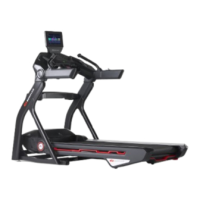
Treadmill 10 and 22: Button Issues (Stuck or Unresponsive)
Follow this troubleshooting guide to help resolve button issueson the BowFlex Treadmills 10 and 22.
Some common complaints may include:
Stuck button error on console
Incline button stuck
Speed button stuck
Power is on but speed or incline not adjusting
Buttons not responding correctly
Not registering buttons being pressed
Buttons not working
Important:
Most button issues can be caused by a damaged wire to one of the arm or ergo handlebar buttons, which the
console reads as a "stuck button." Typically the button is not stuck, but the damage interferes with the
console's ability to register other button presses.
Do not use any chemicals to clean the buttons on your treadmill. If the buttons need to be cleaned, apply
mild, soapy water to a cloth and wipe clean.
Follow these steps to troubleshoot the issue
Tools you may need:
Phillips head screwdriver
1. Check which JRNY firmware version your machine is on - BowFlex Treadmill 10 & 22 - CHECK FIRMWARE
VERSION.Version 3.10 and later will identify which button is experiencing the issue by name or button ID.
a. If you are not on Version 3.10 or later, please reference the Updates section inJRNY Basic App
Troubleshootingto check for updates.
b. If unable to update JRNY, please contact the JRNY Support Team to force an update on the backend. Our
contact information is listed at the bottom of this page.
2. Check for a stuck button message:
a. Start a workout and let your treadmill run for approximately 30 seconds.Do not press any buttons during this
time.
b. If a button is stuck, a stuck button message will appear stating which button is stuck by name or button ID.
c. If you already cleared the stuck button message,power cycle your machine and the message will appear again
within approximately 2 minutes.
ID:15099.3













 To Next Page