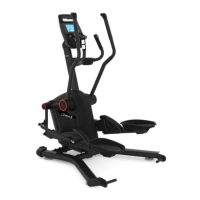
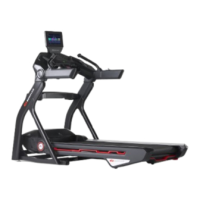
Treadmill 10 and 22: Why won't the belt move?
Follow this troubleshooting guide to help resolve issues involving the walking belt not moving onthe BowFlex Treadmill 10 and
Treadmill 22.
Some common complaints may include:
Belt doesn't move
Treadmill won't run during workout
Workout starts but belt doesn't move
Follow these steps to troubleshoot the issue
Tools you may need:
Phillips head screwdriver
6mm hex/Allen wrench, or the wrench from the hardware
card included with your machine
1. Stand to the side of your treadmill and start a manual workout. Watch the speed readout on the console:
Speed Displayed is 0.1 MPH
Speed Displayed is 0.0 MPH
Speed Displayed is 0.1 MPH
1. When the speed displayed reads 0.1 MPH, even though the belt isn't moving, this indicates there is an interruption in
the communication between the MCB and Console. The interruption could be caused bya reversed or loose wiring
connection.
2. Inspect the wire at the top and bottom of the right upright. Important -confirm the color of the wires on both sides
of the connection match before connecting (reference 1).
a. Unplug your machine from power.
b. Lift to remove the cover at the base of the right upright (reference 2). Locate and disconnect the flat, black 5-
pin connector. Inspect the connectors and locate the latch and hook at the top of each connector. Line the latch
and hook up and firmly reconnect the cables together. The latch should make an audible click when firmly
connected[13656.A].
c. Use a Phillips head screwdriver to remove the outer junction cover from the top right upright(reference
3).Locate and disconnect the flat, black 5-pin connector. Inspect the connectors and locate the latch and hook
at the top of each connector. Line the latch and hook up and firmly reconnect the cables together. The latch
should make an audible click when firmly connected. Test to see if the issue persists[13656.B].
(Reference 1)
ID:13656.3













 To Next Page