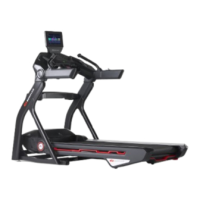
Treadmill 10: Why won't my machine or console power on?
Follow this troubleshooting guide to help resolve power issues on the BowFlex Treadmill 10.
Some common complaints may include:
Console will not power on
Machine will not power on
Follow these steps to troubleshoot the issue
Tools you may need:
Phillips head screwdriver
1. Unplug the power cord from both ends. Inspect the entire cord for any damage or crimps. Plug the power cord back
in at both ends, ensuring it's securely connected[11401.A]. If the cord is damaged, order a Power Cord[11401.B]
2. Check the on/off switch - flip it on and see if it glows. If it does not glow, reconnect the power cord directly to a 3-
prong outlet. Confirm that the outlet is functioning properly by testing it with another device (such as a lamp). If the
outlet is not working properly, switch to a new outlet and re-test your machine[11401.C]. If the switch still does not
glow when plugged into a working outlet, order an AC Inlet Service Kit[11401.D].
3. Press the circuit breaker next to the power switch. Test your machine to see if it powers on[11401.E].
4. If the issue persists, unplug the power cord from both ends again. Wait 5 minutes before continuing to the next
step.
5. Using a Phillips head screwdriver, remove the motor cover and motor control board (MCB) cover (reference 2.1). Plug
the power cord back in to your machine and the wall outlet and turn your machine on. Watch the MCB (reference 2.2
to see if there are any lights illuminated. If there are no lights, check the circuit breaker next to the power switch to
ensure it is not tripped[11401.F]. Check the AC power wiring and reseat if necessary using the "Power Inlet
Replacement" procedure in the service manual, then test if the issue persists[11401.G]. If the issue persists, order
an AC Inlet Service Kit[11401.H].
(Reference 2.1)
ID:11401.2













 To Next Page