Treadmill 10 and 22: What do I do if the speed is inconsistent?
Treadmill 10 and 22: What do I do if the speed is inconsistent?
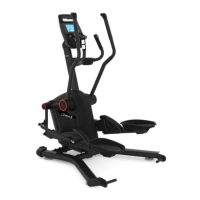
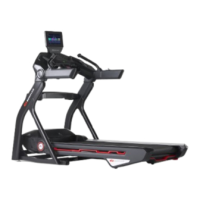
Follow this troubleshooting guide to help resolve issues involving inconsistent speeds on the BowFlex Treadmill 10 and
Treadmill 22.
Some common complaints may include:
Belt speeds up or slows down with no input
Speed changes without buttons pressed
Speed displayed is different from speed set/actual speed
Belt speed above user set speed
Follow these steps to troubleshoot the issue
1. If the speed varies up and down without any buttons being pressed or the speed shown on the screen is much higher
than the actual speed, order an MCB and Speed Sensor[13660.A].
Need to order replacement parts?
1 Customer Care Contact Information
Please contact Customer Care at 1-800-605-3369 for additional help or to order replacement parts.
Some replacement parts may also be available for purchase online here.
A list of part numbers referenced within this guide can be located at the bottom of this page.
Customer Care - Hours of Operation:
Monday - Friday 6:00am - 5:00pm PST
The replacement part will be provided to you at no cost assuming your machine meets the warranty eligibility
requirements. A Customer Care Agent will be able to assess your current warranty eligibility and provide you with your
options.
Please note that if you did not purchase your machine directly from BowFlex, Schwinn, or Nautilus, we will need a copy
of your purchase receipt in order to register your machine for warranty.
Part Description Part SKU
MCB 8024462
Speed Sensor 8024277













 To Next Page