110-Block, Bix Block Label Type
Accessing a Label Type
98
BMP
®
51 User’s Manual
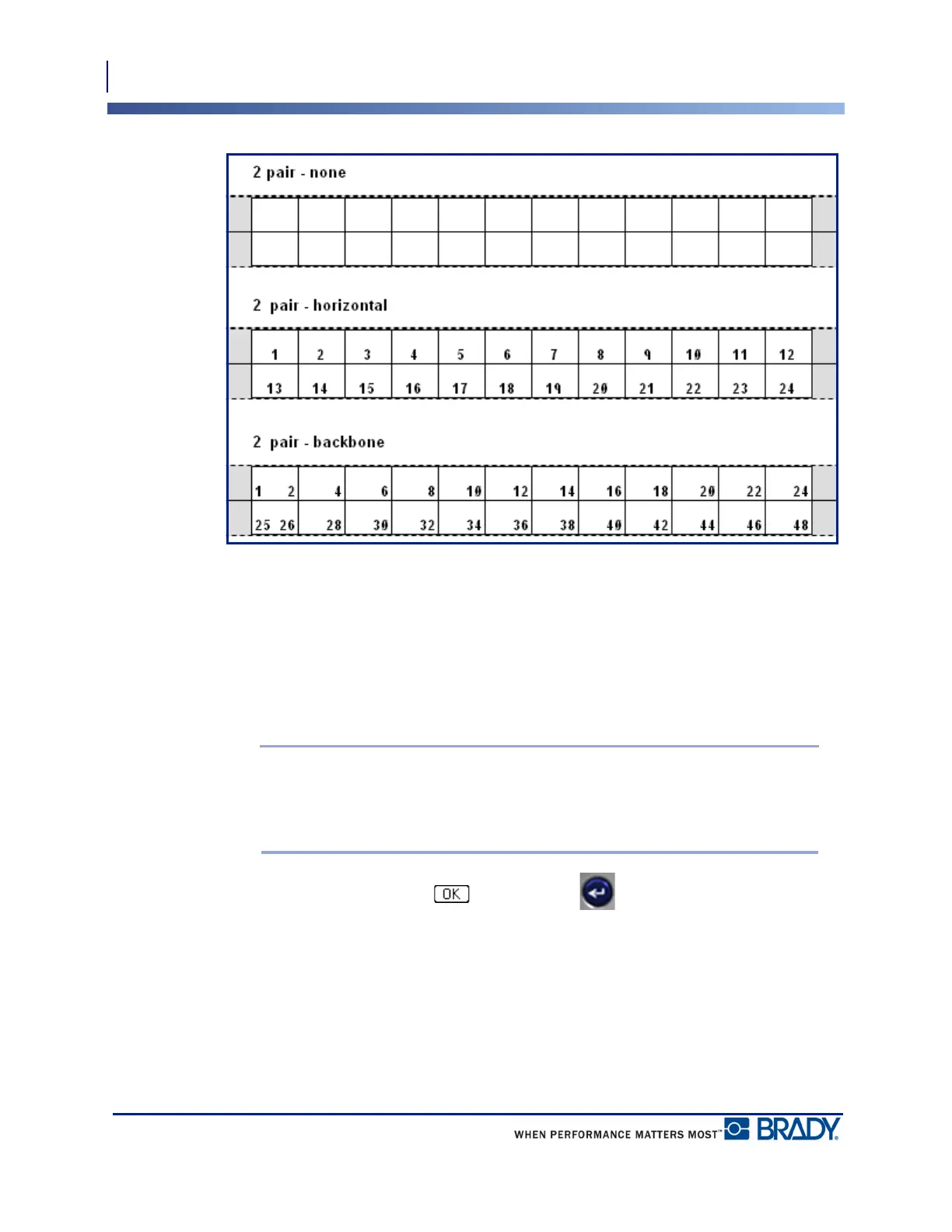
Figure 37 • Sample sequence types
4. In the Sequence Type field, from the drop down list, select the Sequence Type to use.
5. In the Start Value field (except when “None” is selected in the Sequence Type field), enter
the first number of the sequence.
6. In the # of Strips field, enter the number of strips (labels) to be created in the block
configuration chosen.
Note: If serializing the data, additional strips will continue the serialization from
the last number of the previous strip. For instance, when requesting two strips of a
4-pair configuration, the first strip will contain values 1-12, the second strip will
contain numbers 13-24.
7. When finished, navigate to and press Enter .



 To Next Page