11
Connecting
AC Power Adapter
BMP
®
51 User’s Manual
Connecting
The BMP
®
51 Label Printer is equipped with a USB port and Brady Network Card port,
enabling you to connect via USB, Bluetooth, or WIFI (sold separately) to a PC, Mobile
Device, or Smart Phone. You can create labels in various applications (such as LabelMark™
Labeling Software or Mobile Software) and send the data to be printed on the BMP
®
51. You
can also transfer files to be printed to the BMP
®
51 by placing the files on a thumb drive which
can be connected directly to the BMP
®
51 printer.
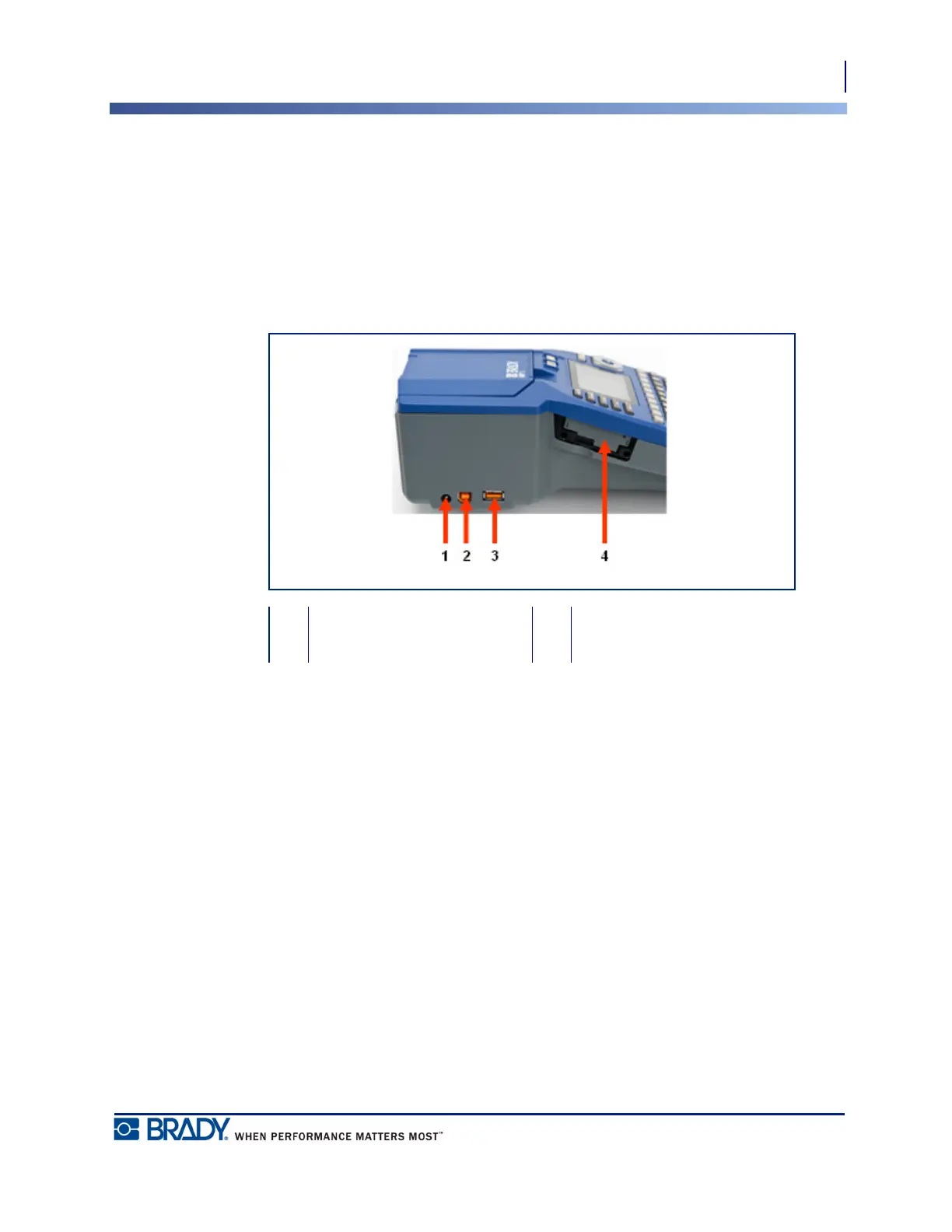
1 AC Adaptor Port 3 Thumb Drive-Port
2 USB port 4 Brady Network Card port



 To Next Page