15
Media Cartridge
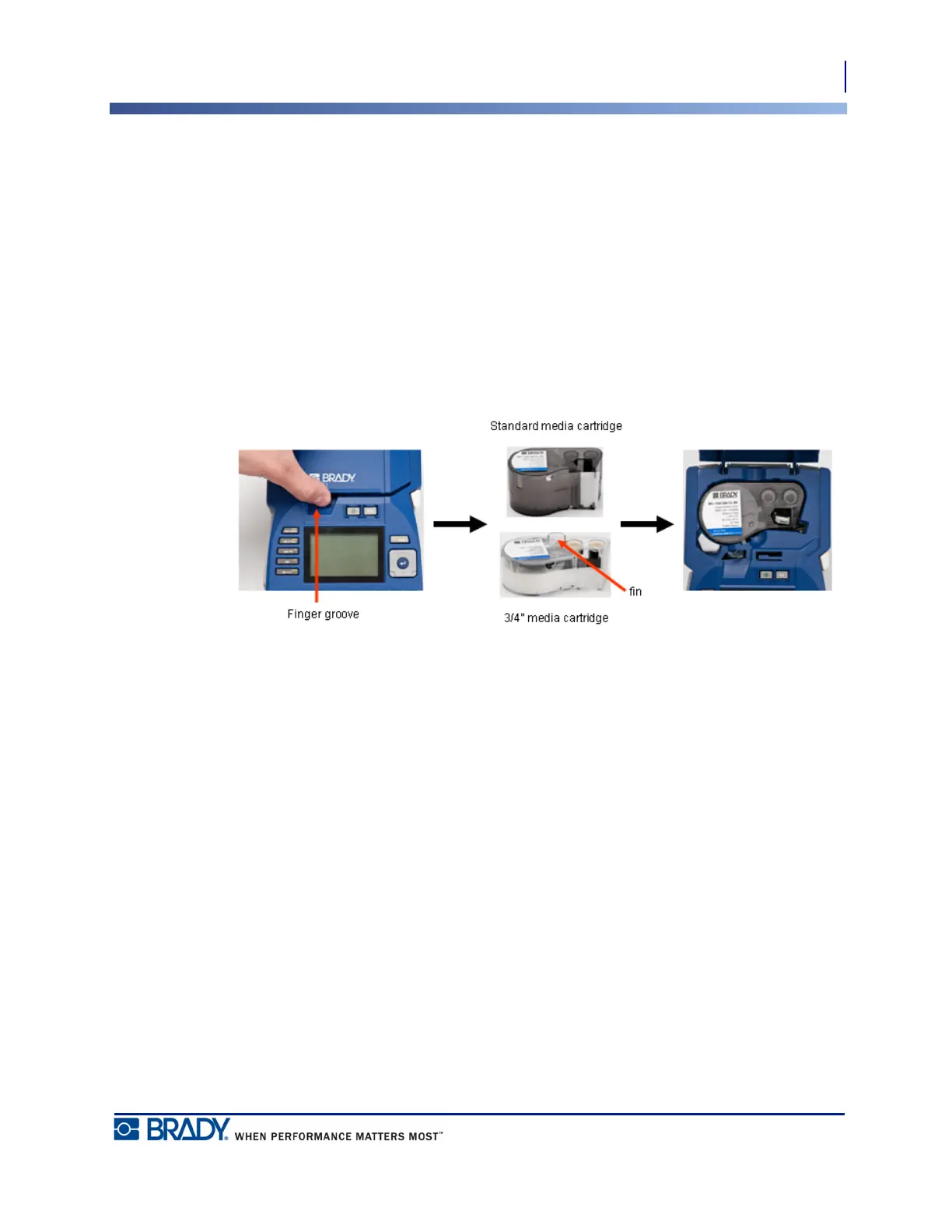
Load Cartridge
BMP
®
51 User’s Manual
Media Cartridge
The media and ribbon supplies for the BMP
®
51 printer are combined in a plastic cartridge for
easy one-step loading. To load the cartridge:
Load Cartridge
Although the printer can be operated with the cover open, it is recommended that the cover
remain closed during printing and standby operation.
1. Place your thumb in
the finger groove and
push up on the cover
lip to open the printer
cover.
2. With the cartridge label facing up, drop the cartridge into
the cartridge well, pushing gently until it snaps into place.
Close the cover by pushing down on it until it snaps into
place.
Note: If using the shorter cartridge, hold the cartridge by
the fin when dropping into place.



 To Next Page