BilgMon488 Instruction Manual vAD 16(38)
BRANNSTROM SWEDEN AB
www.brannstrom.se
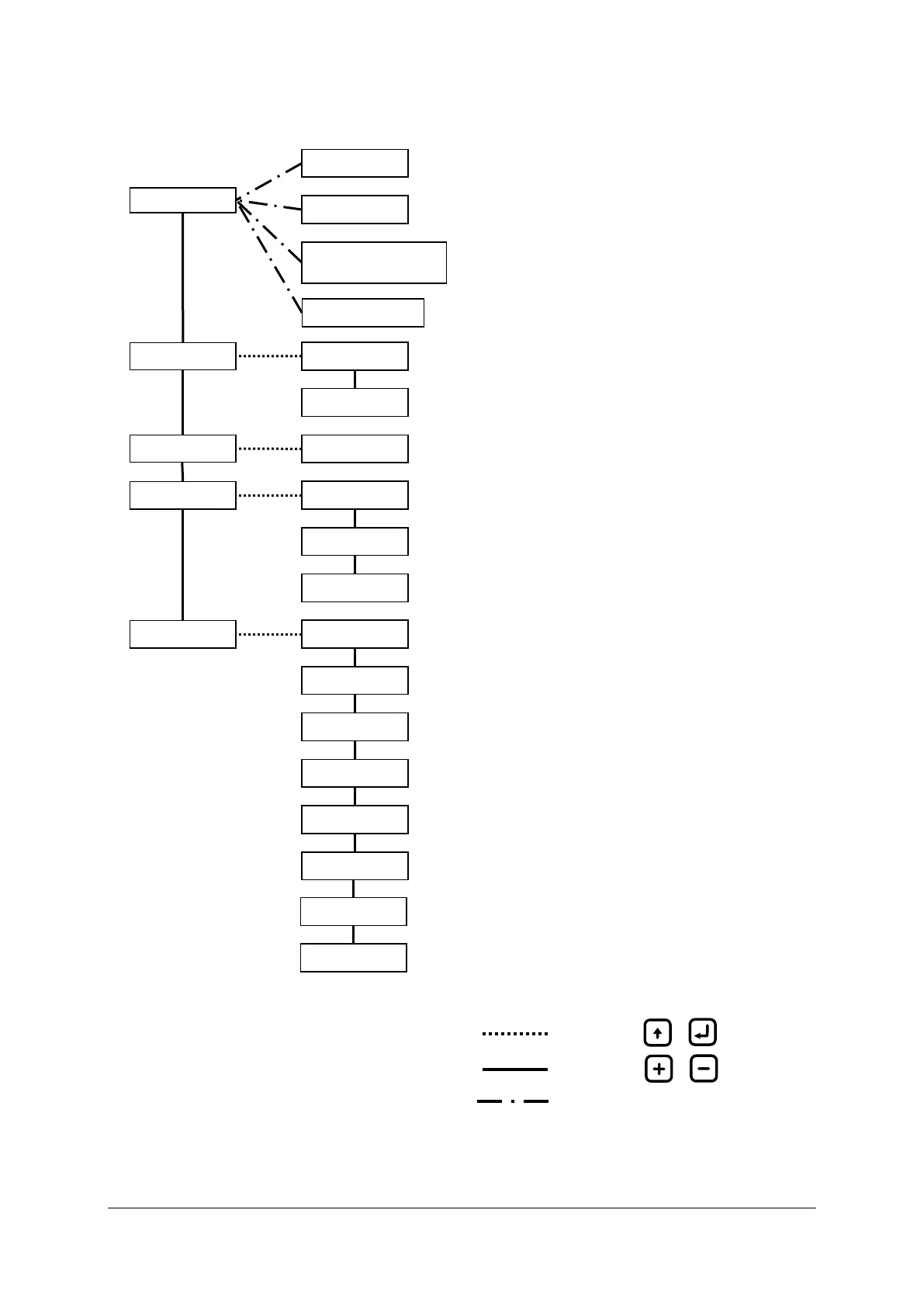
10.3 MENU SYSTEM
Illustration 9: Menu layout
Force automatic stopping
device activation
1) Transition only possible when BilgMon488 is in POWER mode (see 10.2).
Adjust LCD contrast.
See 10.4 Contrast adjustment
Simulate PPM measurement and separator status.
See 10.5 Simulation
Temporarily activate automatic stopping device.
See 10.6 Force automatic stopping device activation
Show information about MASTER unit.
See 10.8.1 Master info
Show information about SENSOR unit.
See 10.8.2 Sensor info
Step, search and download the log.
See 10.9 Log
Zero calibration of SENSOR unit.
See 10.10.1 Clean cell (zero calibration)
Calibration check of SENSOR unit.
See 10.10.2 Check 40NTU cal (calibration check)
Relays and input test menu.
See 10.10.3 Test outputs
Set PPM limit and delay of automatic stopping device.
See 10.11.1 Valve settings (automatic stopping device)
Set PPM limit and delay of alarm2.
See 10.11.2 Alarm2 settings (bridge alarm)
Set interval and duration of fresh water autoflush feature.
See 10.11.3 Autoflush feature (automatic freshwater cleaning)
Adjust displayed time and date.
See 10.11.4 Set clock
Select current output logic.
See 10.11.5 Curro mode (Current output mode)
Calibrate 20mA output.
See 10.11.6 Curro 20mA cal. (Calibration of current output)
Navigation, see 10.4 - 10.7
Acknowledge alarm2.
See 10.7 Acknowledge alarm2
Select displayed number of decimals in PPM value.
See 10.11.7 PPM display. (Select number of decimals in ppm
display)
Show PPM or STANDBY at inactivity in POWER mode.
See 10.11.8 Standby display. (Select standby notification)


 To Next Page