BilgMon488 Instruction Manual vAD 17(38)
BRANNSTROM SWEDEN AB
www.brannstrom.se
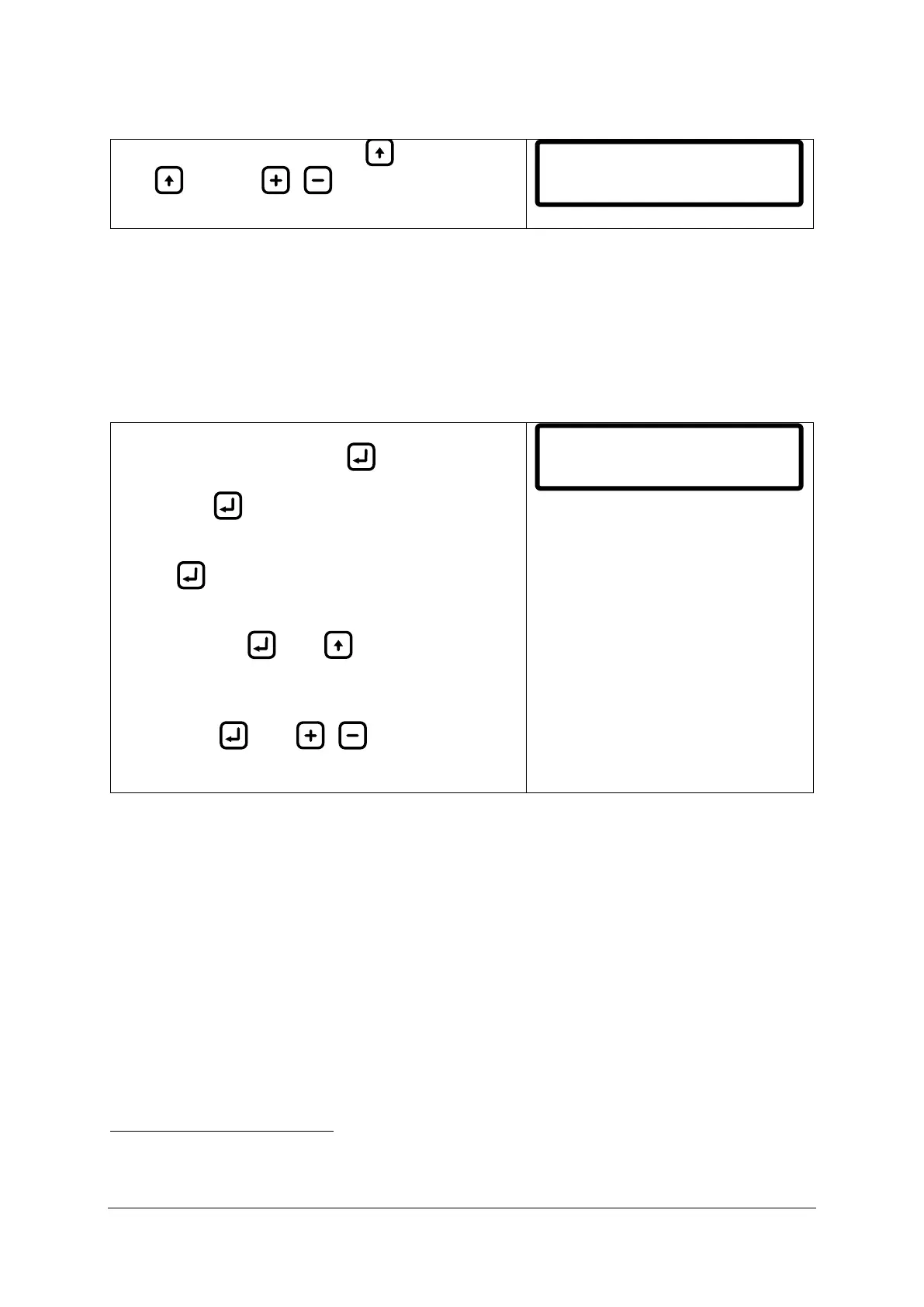
10.4 CONTRAST ADJUSTMENT
While in main menu press and hold .
With held press / to increment/decrement
contrast setting by 10%.
10.5 SIMULATION
The simulation menu lets user simulate the PPM input from the sensor unit as well as the separator
status input state to verify that the installation of the unit is correct and that it responds as expected
to different oil content measurements.
Simulated events will be stored in the log starting with a SIM_ON event and ended with a SIM_OFF
event.
Enter simulation menu
2
:
From main menu press and hold . The LCD will now
show something similar to the picture on the right.
Keep holding to stay in the simulation menu.
Leave simulation menu:
Release .
Toggle the simulated separator status input:
While still holding , press to toggle between
separator on/off (SEP_ON/SEP_OFF shown in LCD).
Increment/decrement simulated PPM value:
While holding , press / to
increment/decrement the simulated PPM value in steps
of 1.0.
To enter the simulation menu the BilgMon488 needs to be in POWER mode. POWER mode is when
the unit is powered but separator is not running (separator status input is open, see 8.3 Electrical).
Simulation SPL
PPM>30.0 SEP_OFF


 To Next Page