BilgMon488 Instruction Manual vAD 18(38)
BRANNSTROM SWEDEN AB
www.brannstrom.se
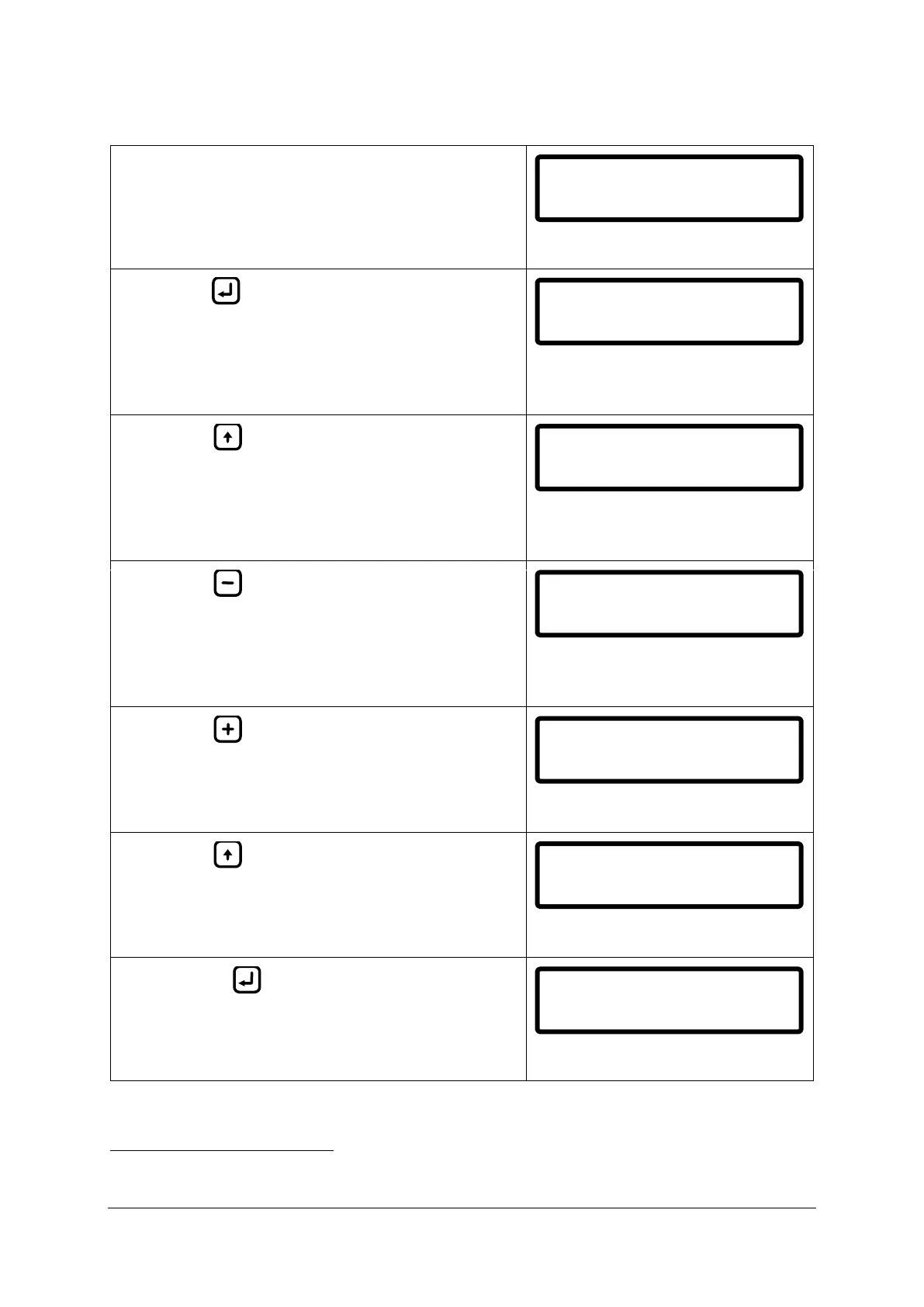
Example of simulation with explanations:
1) Start in main menu with separator off (separator
status input open).
ALARM LED – OFF
VALVE LED – OFF (no discharge)
2) Hold (do not release until step #7 in this
example).
Automatic stopping device (ASD) is now active
3
and the alarm2 is not active since the separator is
not running.
ALARM LED – OFF
VALVE LED – OFF (no discharge)
3) Press to simulate that the separator starts
running (toggle to SEP_ON).
ASD and alarm2 is now active since the PPM
value is above 15 PPM and the separator is
running.
ALARM LED – ON
VALVE LED – OFF (no discharge)
4) Press repeatedly until PPM value is below
15.0 ppm (14.0 or lower value shown).
ASD and alarm2 is now NOT active since the PPM
value is below 15.0 ppm and the separator is
running.
ALARM LED – OFF
VALVE LED – ON (discharge)
5) Press repeatedly until PPM value is above
15.0 PPM (16.0 or higher value shown).
ASD and alarm2 is now active since the separator
is running and the PPM value is above 15.0 ppm.
ALARM LED – ON
VALVE LED – OFF (no discharge)
6) Press to simulate that the separator stops
running (toggle to SEP_OFF).
ASD is now active and the alarm2 is not active
since the separator is not running.
ALARM LED – ON
VALVE LED – OFF (no discharge)
7) Release to return to main menu and end
simulation.
ALARM LED – OFF
VALVE LED – OFF (no discharge)
The VALVE LED and the automatic stopping device output has reversed logic. Hence when VALVE LED is lit the
automatic stopping device is NOT active (overboard valve in discharge position) and vice versa.
140613 09:50:24
PPM>30.0 SPL
Simulation SPL
PPM>30.0 SEP_OFF
Simulation SPL
PPM>30.0 SEP_ON
Simulation SPL
PPM=14.0 SEP_ON
Simulation SPL
PPM=16.0 SEP_ON
Simulation SPL
PPM=16.0 SEP_OFF
140613 09:50:24
PPM>30.0 SPL


 To Next Page