BilgMon488 Instruction Manual vAD 24(38)
BRANNSTROM SWEDEN AB
www.brannstrom.se
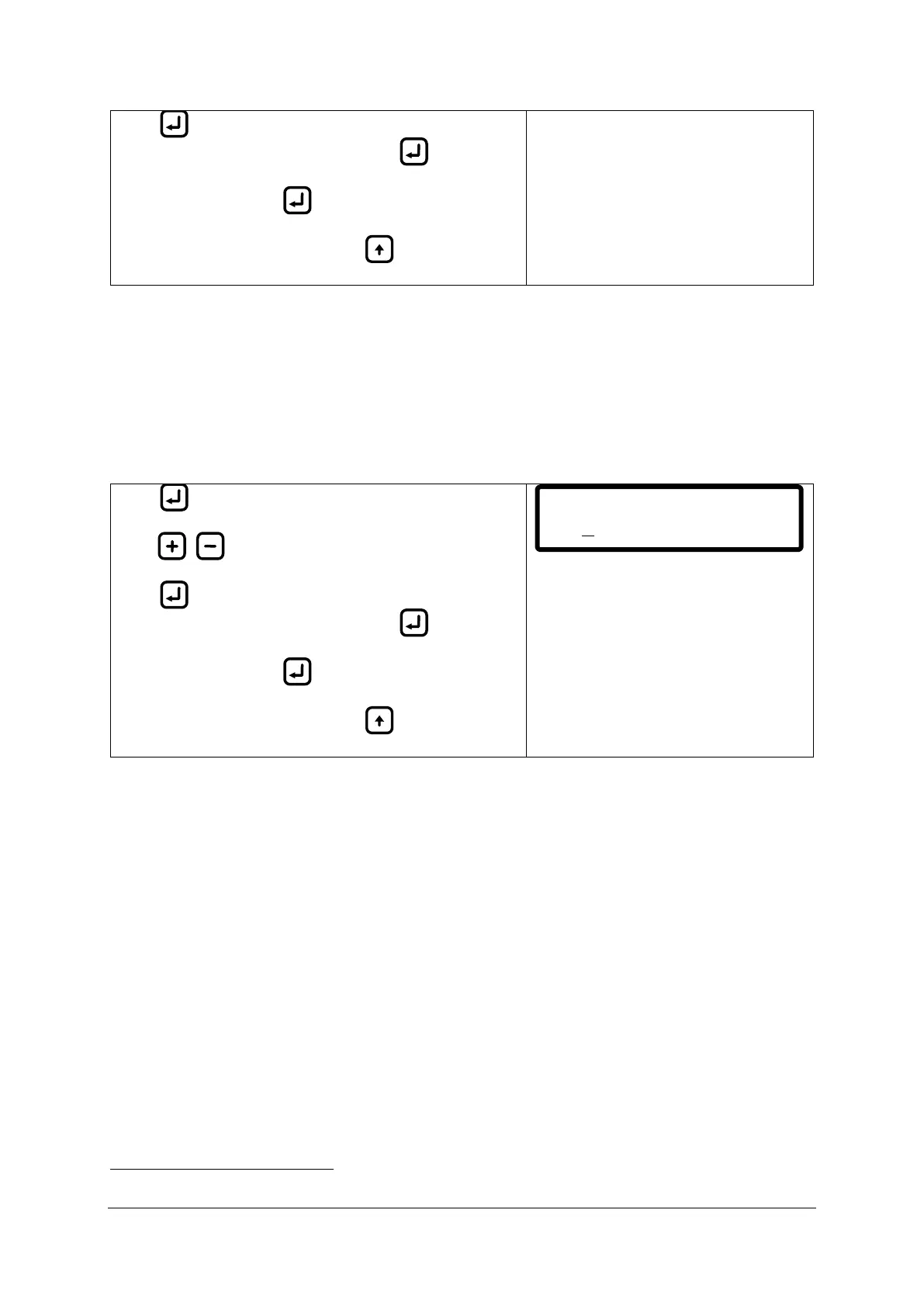
Press to move cursor right one digit (cursor moves
cyclically from left to right, one step per ).
Save setting by holding until cursor disappears.
Abort input at any time by pressing (cursor
disappears, previous values are filled in).
10.11.3 Autoflush feature (automatic freshwater cleaning)
If system is fitted with a freshwater flushing valve it is possible to let the unit clean itself at set
intervals with fresh water
if the separator is not running. This menu lets the user set the interval at
which the cleaning should be performed (in hours) and the duration of the cleaning/flushing (in
seconds). If a duration of 0 seconds is chosen the feature is disabled (off).
Note: The autoflush feature is disabled when the separator is running (separator status input is
closed).
Press to display the cursor (under leftmost digit).
Press / to increase/decrease digit.
Press to move cursor right one digit (cursor moves
cyclically from left to right, one step per ).
Save setting by holding until cursor disappears.
Abort input at any time by pressing (cursor
disappears, previous values are filled in).
10.11.4 Set clock
The BilgMon488 has an internal timekeeping mechanism with a battery backup. This mechanism is
refered to as RTC (Real Time Clock). The RTC is set at production to UTC time (Coordinated Universal
Time).
The set clock menu lets the user adjust the local time of the unit (as shown in the main menu). The
local time is handled internally as an offset to the RTC time.
The local time setting affects the time and date shown in main menu as well as the log menu
according to the example below:
1. Set clock = local time:
Main menu will display local time and date.
Log items will be shown in local time and date.
2. Set clock = UTC time:
Main menu will display UTC time and date.
Log items will be shown in UTC time and date.
Fresh water flushing is indicated also on ALARM2 (from master unit software version C9).
Autoflush ( on)
t:10s int:24h


 To Next Page