BilgMon488 Instruction Manual vAD 26(38)
BRANNSTROM SWEDEN AB
www.brannstrom.se
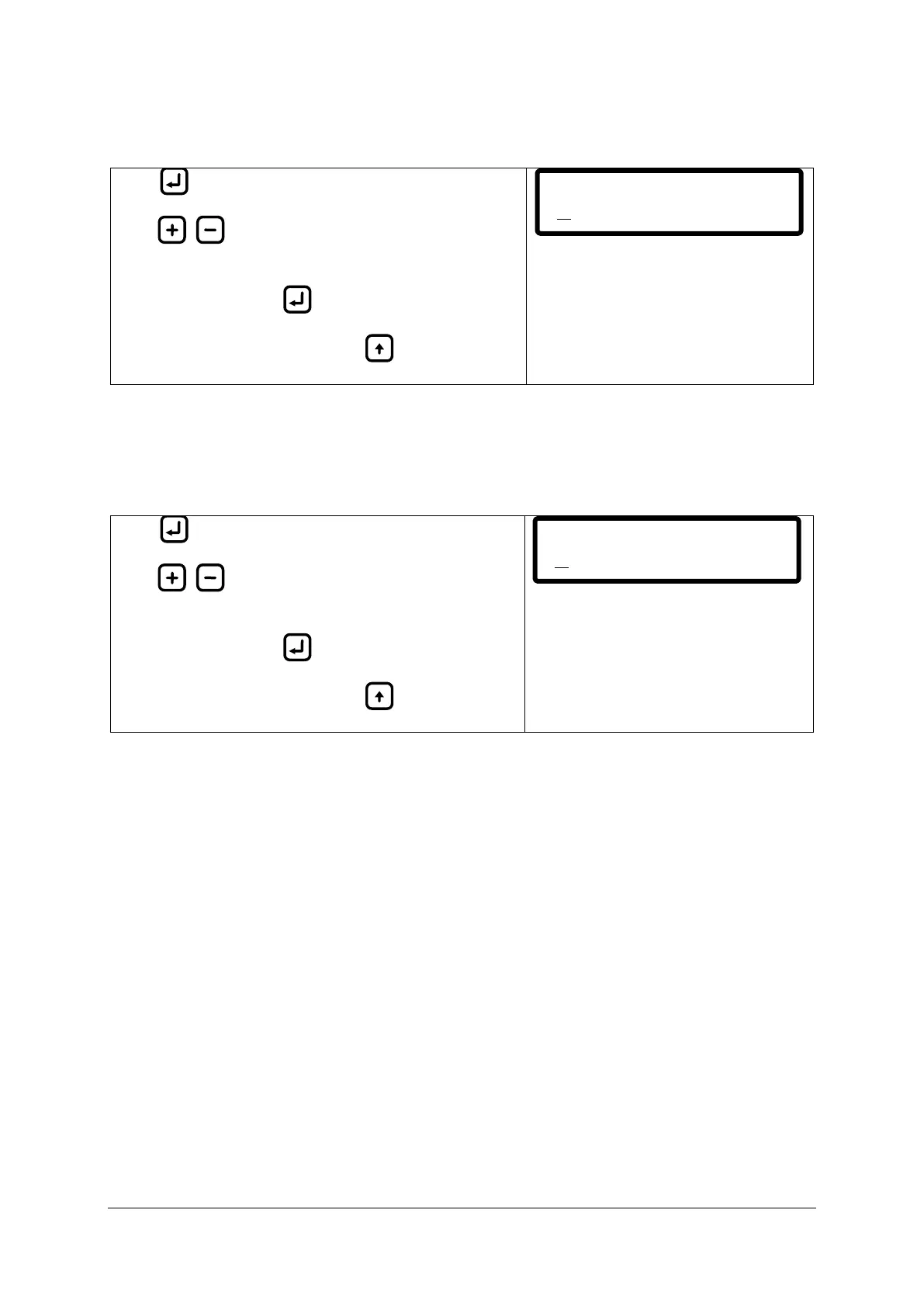
10.11.7 PPM display. (Select number of decimals in ppm display)
Select between one decimal (default) and no decimal when displaying the PPM value.
Press to display the cursor.
Press / to toggle between “ONE DECIMAL” and
“NO DECIMAL”.
Save setting by holding until cursor disappears.
Abort input at any time by pressing (cursor
disappears, previous values are filled in).
10.11.8 Standby display. (Select standby notification)
Select between showing current PPM value (default) and showing “STANDBY” in main menu when
unit is in “POWER” mode.
If selected the unit will show “STANDBY” after 5 seconds of inactivity when in “POWER” mode.
Press to display the cursor.
Press / to toggle between “Show PPM” and
“Show STANDBY”.
Save setting by holding until cursor disappears.
Abort input at any time by pressing (cursor
disappears, previous values are filled in).
PP M displ ay:
ONE DECIMAL
St andby d isplay:
Show PPM


 To Next Page