BilgMon488 Instruction Manual vAD 23(38)
BRANNSTROM SWEDEN AB
www.brannstrom.se
10.10.3 Test outputs
The test outputs menu is used for testing the function of the separator status input as well as the
alarm2, automatic stopping device and fresh water flushing valve outputs (see 8.3 Electrical).
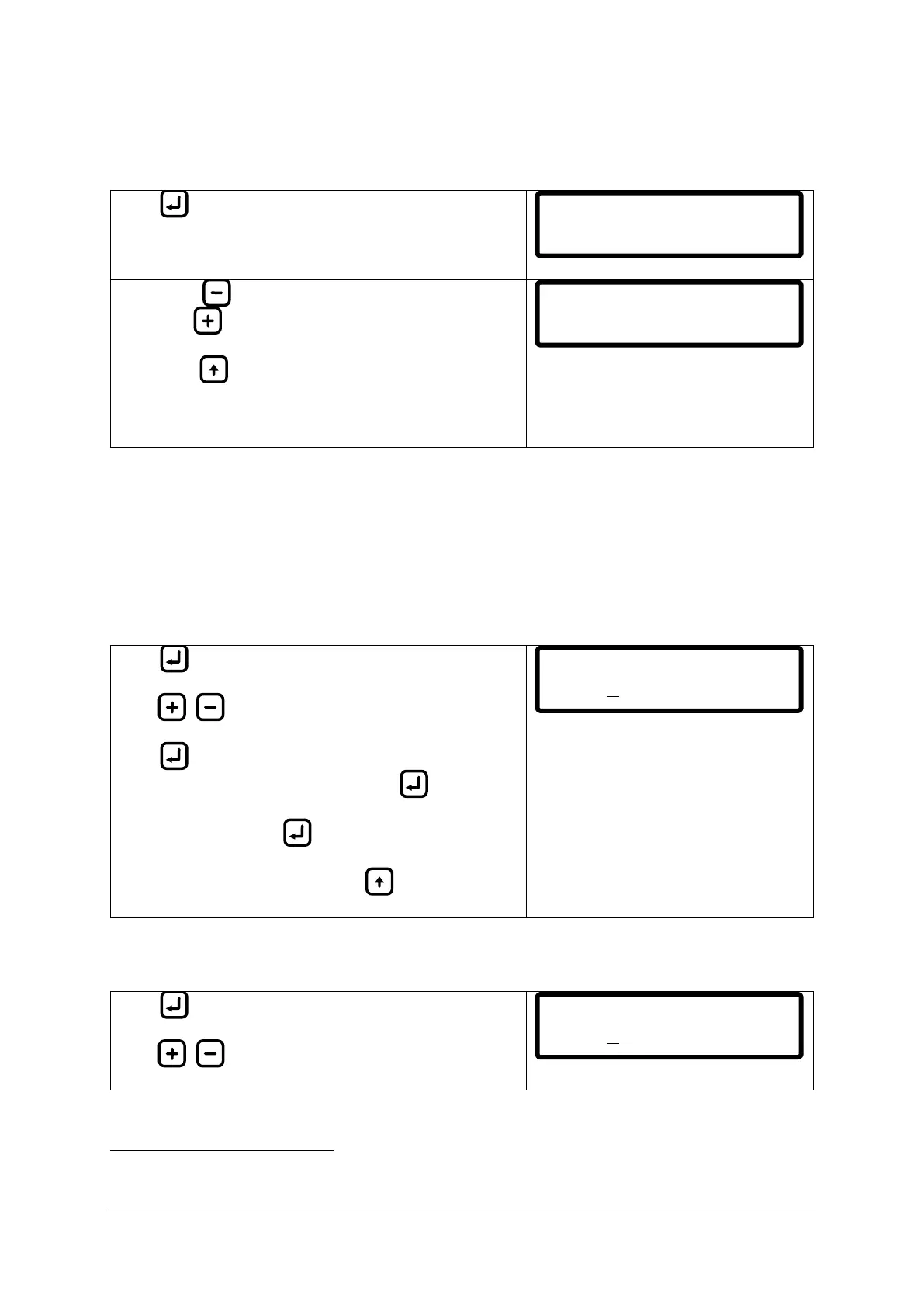
Press to enter test outputs menu.
ALM: Press to toggle the alarm2 output.
8
VLV: Press to toggle the valve (automatic stopping
device) output.
8
WTR: Press to toggle the fresh water flushing valve
output.
O/C: In the upper right corner the status of the separator
status input is displayed (O = Open, C = Closed).
10.11 SETTINGS
10.11.1 Valve settings (automatic stopping device)
This menu allows the user to lower the detection level for valve output (automatic stopping device
output). This might be useful in cases where lower limits than 15 ppm oil content is requested. There
is also an adjustable delay (max 10 seconds) of the valve output. Factory defaults are 15 ppm limit, 0
sec delay.
Press to display the cursor (under leftmost digit).
Press / to increase/decrease digit.
Press to move cursor right one digit (cursor moves
cyclically from left to right, one step per ).
Save setting by holding until cursor disappears.
Abort input at any time by pressing (cursor
disappears, previous values are filled in).
10.11.2 Alarm2 settings (bridge alarm)
This menu lets the user set the parameters for the alarm2 output.
Press to display the cursor (under leftmost digit).
Press / to increase/decrease digit.
Fresh water flushing and Valve output can only be activated 10 seconds at a time and will always generate an
active alarm2 output. Seconds countdown is shown on LCD.
ALM VLV WTR C
OFF 08 OFF
EXIT
Valve settings
ppm:15.0 t:000s
Alarm settings
ppm:15.0 t:000s


 To Next Page