2-8 100-214-239 Rev. A
Introduction to the Digital Sonifier
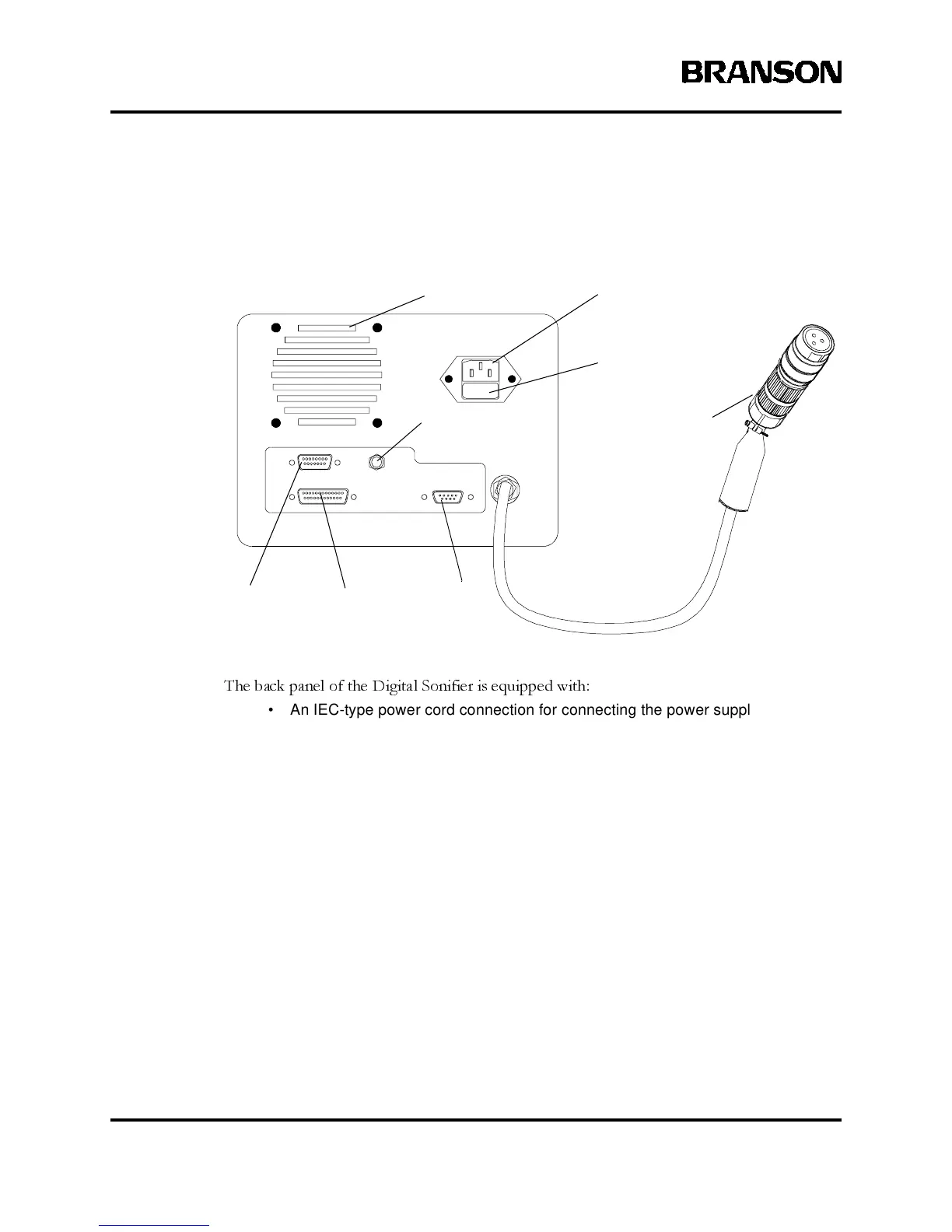
2.2.3 Back Panel Connections
Figure 2.3 Back Panel of Digital Sonifier
The back panel of the Digital Sonifier is equipped with:
• An IEC-type power cord connection for connecting the power supply to a
grounded electrical outlet.
• A fuse holder for access to a replaceable 5x20mm protective fuse. The fuse is
a glass slow-blow type (refer to the data tag for the fuse rating).
• A converter cable with connector to connect the power supply to the Converter.
• An RS-232 connector (female DB9) for connecting a remote computer terminal
to the unit. This connection requires a cable with a 9-pin male connector. Serial
ASCII data is transferred through this connection at a user-selectable baud rate
of 1200, 2400, 9600, or 19200 bps with 8 data bits, 1 stop bit, and no parity. RX,
TX, and Signal Ground are supported.
• A parallel printer connector (female DB25) requiring a 25-pin male connector.
During System Setup, you can select the dot-matrix printer choices from Pana-
sonic, Epson, or IBM.
• A User I/O connector (female DB15) requires a cable with a 15-pin male DB15
connector. The User I/O provides proprietary system control signals
• A 1/4-inch phone-jack style connector for an optional temperature probe.
IEC-type power
cordset connector
Temperature Probe
connector
Remote
Terminal
Parallel
Printer
User I/O
connector
Fan
Fuse holder
Converter cable
and connector
(RS-232)



 To Next Page