24 67XXU USB/Serial Scale Service Manual
4 Configuration
To set up the indicator, you must first enter the appropriate menu mode. The front panel
keys become directional navigators to move around in the menus. See Table 4.2 for
details.
4.1 Front Panel
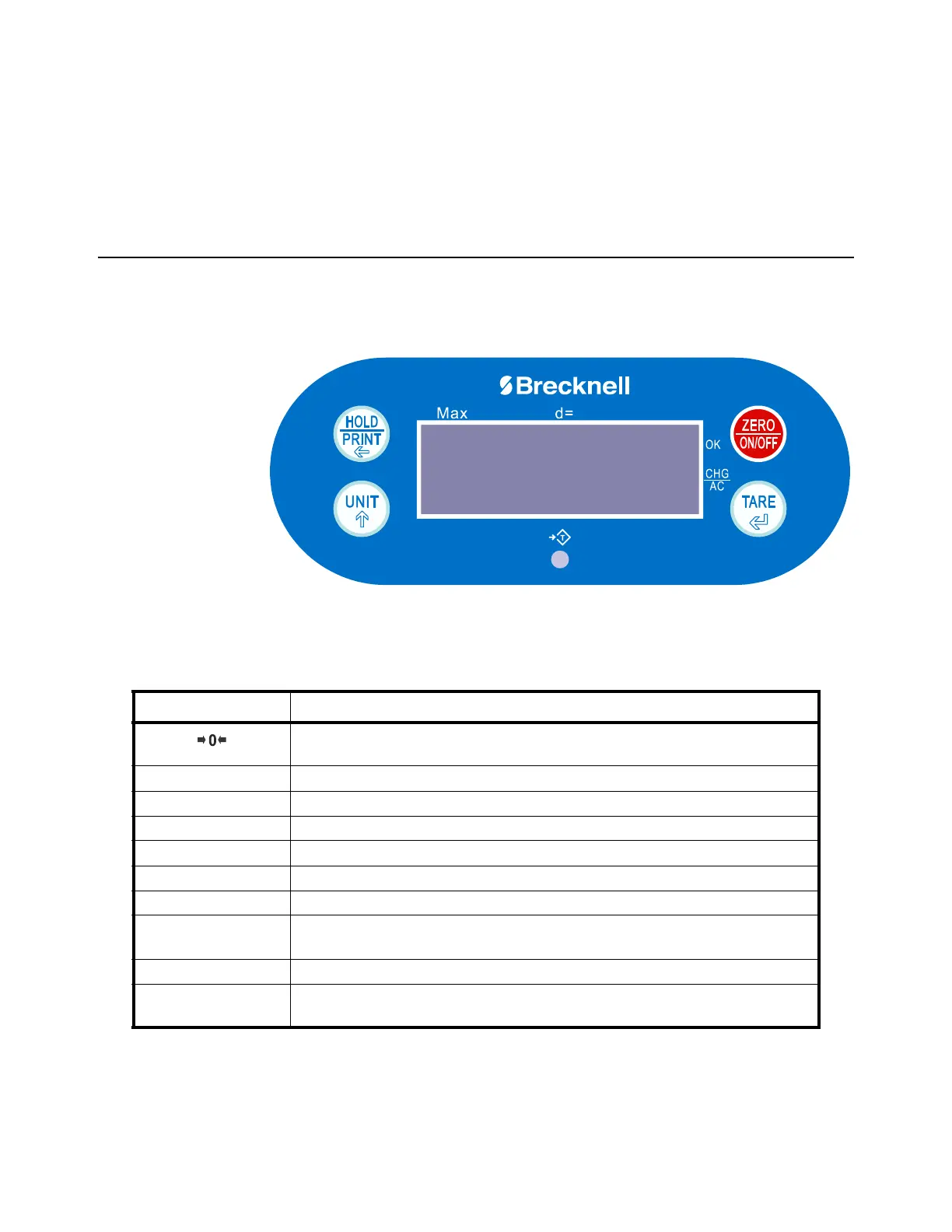
The front panel incorporates the display and keypad.
The annunciators used are incorporated in the display. The annunciator will be lit went
the mode is active.
Figure 4.1 67XXU Keypad and Display
Table 4.1 LCD Display Annunciators and Definitions
LCD Annunciator Description
Better known as the "Center of Zero" annunciator. It is lit when the scale is at the zero point
and the gross weight is 0.
NET Indicates net mode and the tare weight is not 0.
lb Indicates the current unit of measure is lb.
oz Indicates the current unit of measure is oz.
kg Indicates the current unit of measure is kg.
g Indicates the current unit of measure is g.
Pcs Indicates counting mode. Unit of measure is pieces.
HOLD Flashes when HOLD key is pressed. Remains permanently on when the Hold function has
become activated.
AC/CHG When battery is being used or charged, is fully charged or not installed.
OK Indicates when data compare is enabled and current data (weight, pieces or percent) is
between the specified upper and lower limits.














 To Next Page