67XXU USB/Serial Scale Service Manual 25
4.2 Keys
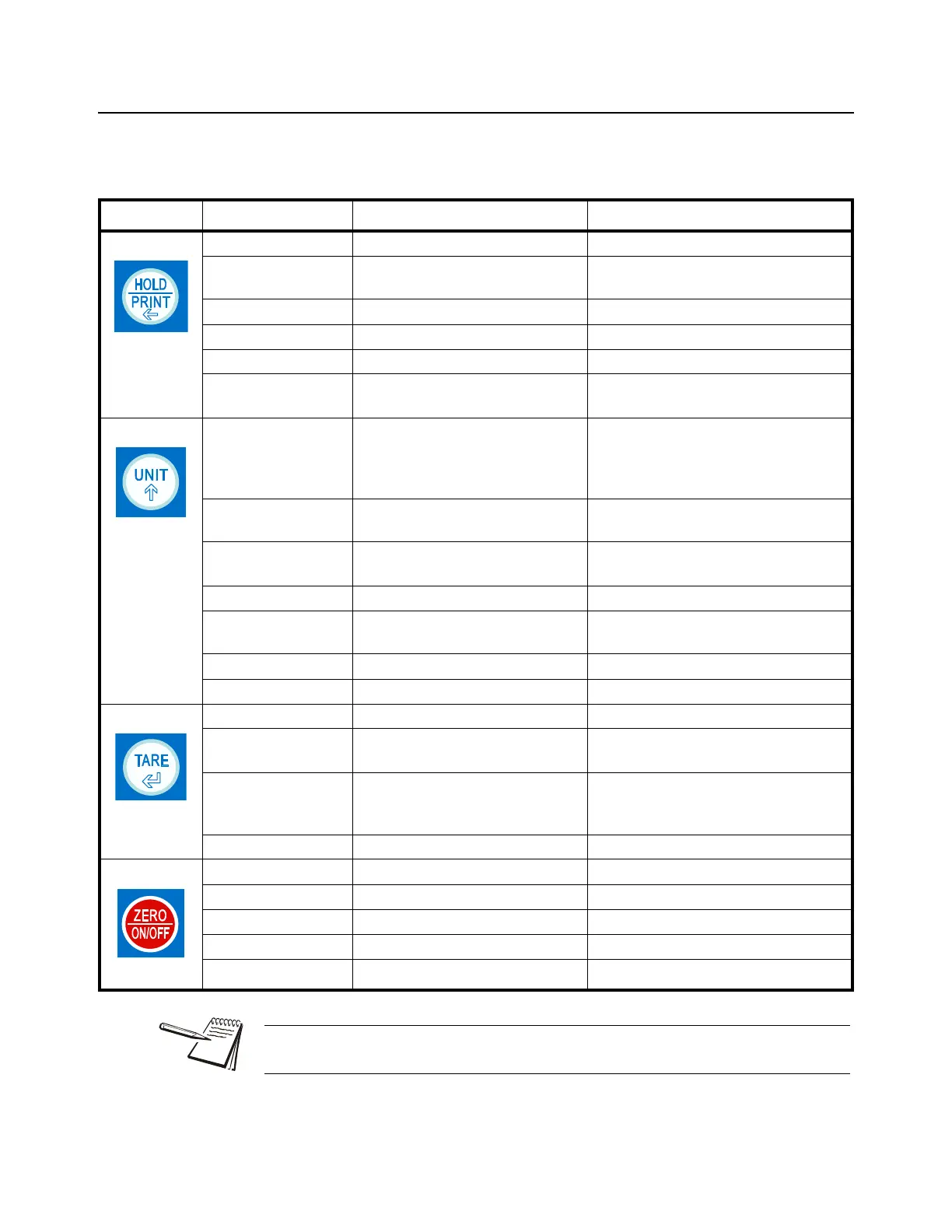
The keyboard consists of four keys, some of which have multiple functions.
Table 4.2 Function of the Keys
Key Mode Condition Function
Weigh or count Press for less than 3 seconds Enter or exit HOLD/PRINT mode
Weigh or count Press [HOLD] + [ON/OFF] for more
than 3 seconds
Enter setup mode
Input data mode Press for more than 3 seconds Input decimal point
Input data mode Press for less than 3 seconds Rotate the flashed position from right to left
Menu selection mode Select next item of current menu
Weigh or count Press [HOLD] + [UNIT] for more than 3
seconds
Select working mode (weigh or count)
Weigh mode Press for less than 3 seconds Change weighing units: kg->lb->oz
lb:oz (not available in some conditions)
g (not available in some conditions)
kg (not be available in some conditions)
Count mode Press for less than 3 seconds To enter piece weight mode (by way of
sample or input directly)
Weigh or count Press for more than 3 seconds To input compare data (for weight or pieces)
of high and low limitation
Display voltage mode Press for more than 3 seconds To calibrate input voltage value
Display ADC code mode Select displaying code from:
no-filter, filter1, filter2
Input data mode Press to enter data one will be added to the flashing digit
Menu selection mode Select next item of current menu
Weigh or count Press for less than 3 seconds Tare function
Weigh or count Press for more than 3 seconds Input pre-set tare weight at selected weight
unit
Input data mode or
Menu selection mode
Press to enter data To confirm input data or current item
selection. Select next item of current menu or
next operation
Display ADC code mode Set or clear tare code
Power off mode Power on
Count or weigh Press for less than 3 seconds Zero function
Count or weigh Press for more than 3 seconds Power off
Input data Ignore current operation
Menu selection mode Return to last sub-menu
NOTE: To access the second function of the key, press and hold the key for more
than 3 seconds.














 To Next Page