- 8 -
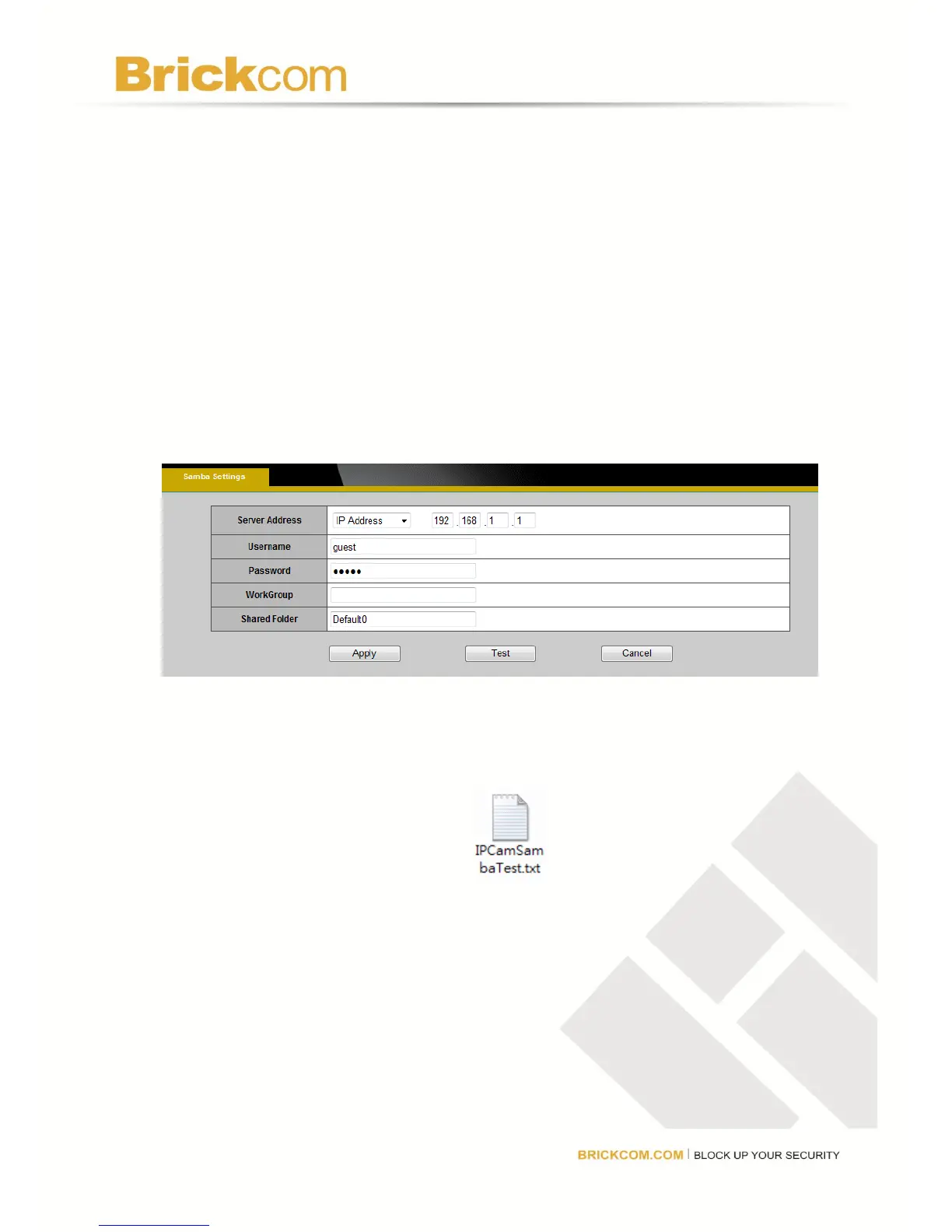
4. Access the network camera’s Samba Settings page and enter the following information.
Server Address- Enter the IP address of the Brickcom Router.
*Username- guest
*Password- guest
*Workgroup- Leave blank
*Share folder- Enter the root folder name of the USB storage device. Normally this name is
Default0.
5. Click on Test to verify that the samba settings are correct. If the settings are correct., a txt
file named “IPCamSambaTest” will appear.
6. Click Apply to save the settings.



 To Next Page