- 23 -
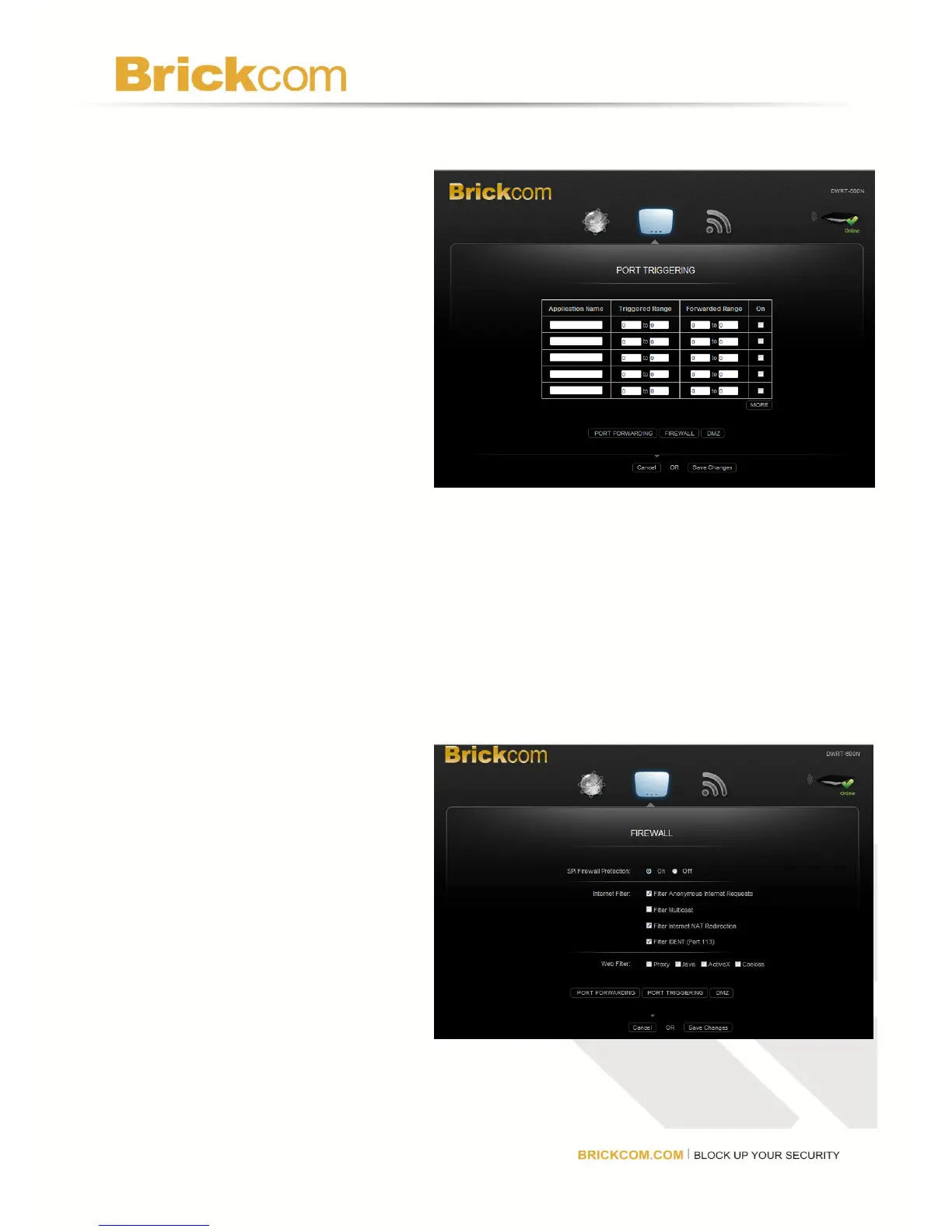
Port Triggering
Port Triggering allows users to
watch outgoing data for specific
port numbers. The router
remembers the IP address of the
computer that sends the matching
data, so when the requested data
returns through the router, the data
is pulled back to the correct
computer. Click
Save Changes to keep any
changes made to the router
settings or click Cancel to cancel
changes.
Application Name: Enter a unique name for the trigger (up to 12 characters).
Triggered Range: Enter the Start and End port numbers of the Triggered Range. Check with
the Internet application documentation for the port number(s) needed.
Forward Range: Enter the Start and End port numbers of the Forwarded Range. Check with
the Internet application documentation for the port number(s) needed.
On: For each application, select On to enable port triggering.
Click MORE to add more applications.
Firewall
Configure a firewall that can filter
out various types of unwanted
traffic on the router’s local network.
SPI Firewall Protection: Select
Enable to use firewall protection or
Disable to turn off firewall
protection.
Internet Filter:
Filter Anonymous Internet
Requests: Select to make it more difficult for outside users to access the network.



 To Next Page