- 7 -
Setting up USB Storage
This section details how to connect a USB storage device to the router and use it as a storage
device for a network camera. By setting up the router as a samba server for the network
camera, the camera can send video clips and snapshots to the storage device via samba
protocol.
Note: This user manual uses a Brickcom network camera as an example for setting up the
USB storage device. Samba settings for other network cameras may vary.
Step by Step Setup
1. Attach the storage device to the router’s USB port.
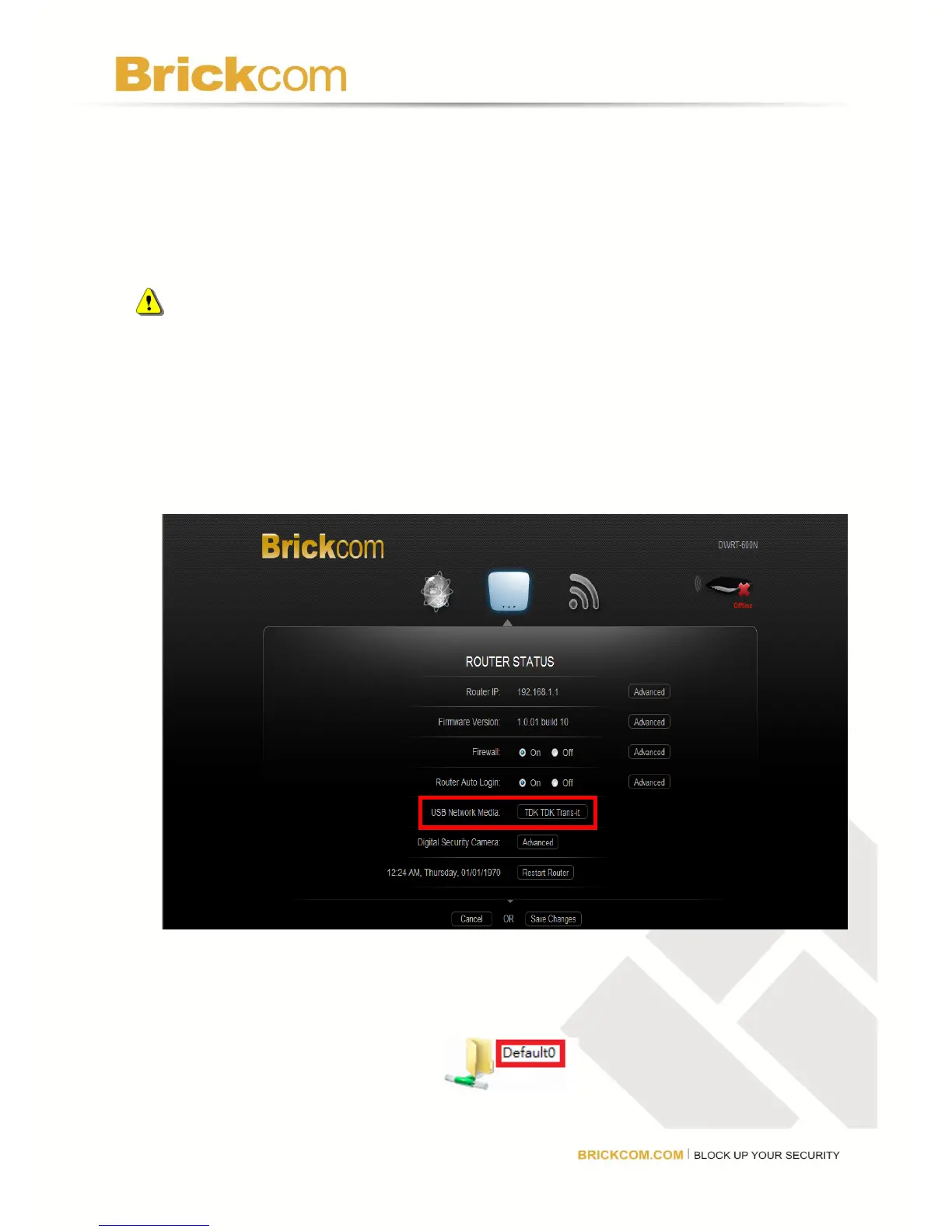
2. Access the router’s GUI and the name of the USB storage device will be displayed in the
USB Network Media field.
3. Click on the name of the device to access it and check the root folder name. Normally the
root folder name is “Default0”.



 To Next Page