- 26 -
This is set to Off by default.
Allowed Remote IP Address: Select Any IP Address or manually enter an Internet IP
address to allow remote access to the web-based utility from the Internet.
Remote Management Port: Enter the port number that will provide outside access to the
router’s web-based utility.
USB Network Media
The router’s USB port connects to a USB storage device, so the user can access the files
from any computer on the network. All of the files on the storage device are shared with all of
the computers on the network. See Accessing USB Storage for more information on
accessing the USB storage device.
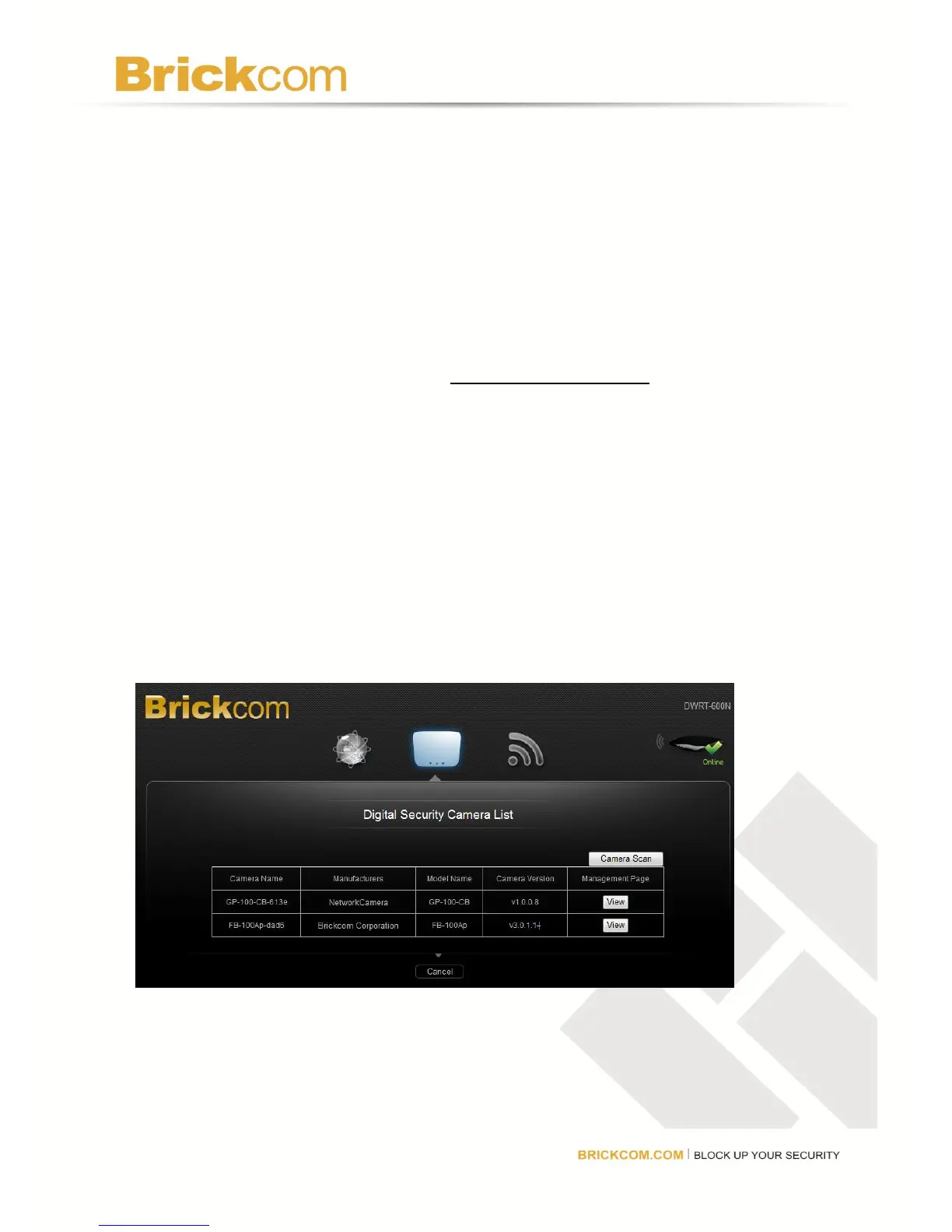
Brickcom Network Camera Site Survey List
The router is able to automatically detect Brickcom network cameras which are in range of the
network. Click Camera Scan to survey to surrounding network for available Brickcom
cameras. When the survey list is displayed, click View to automatically open the camera’s
web GUI.
Note: This function is only able to detect Brickcom network cameras. Other models are not
supported.



 To Next Page