- 30 -
Advanced
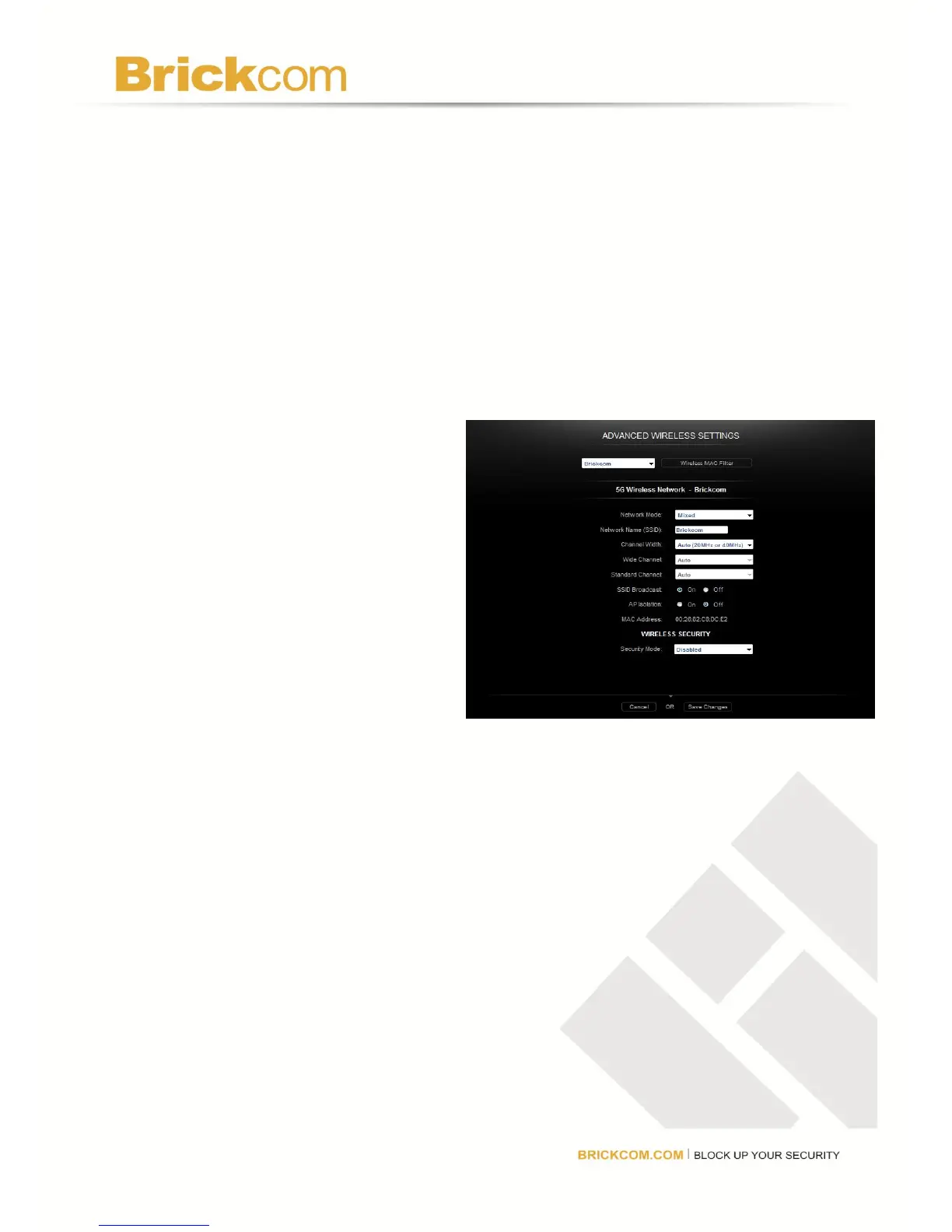
A new menu will be displayed showing the advanced options available for the Advanced
Wireless Settings. Choose a Network Name from the drop down list to change the settings for
that network.
Wireless MAC Filter
Enter MAC addresses in the spaces provided to prevent or permit wireless devices with those
addresses from accessing the wireless network. Click Wireless Client List to add MAC
addresses by choosing them from a list of clients detected by the router. Click MORE to add
more addresses.
Network Settings
Network Mode
5 GHz: Select the wireless
mode used by the network.
Choose from Disabled, Mixed,
Wireless-A Only, or Wireless-N
Only.
2.4 GHz: Select the wireless
mode used by the network.
Choose from Disabled, Mixed, Wireless-G Only, Wireless-B Only, or
Wireless-BGN.
Network Name (SSID): Each wireless network has a unique name or SSID. The three
wireless networks have default names which can customize. When changing the network’s
name, consider using something unique to make sure it is not the same as other wireless
networks that the router may detect in the area. Do not use personal information that can be
visible to other users in the area searching for wireless networks.
Channel Width
5 GHz: Select Auto (20MHz or 40MHz) for best performance in a network using
Wireless-A and Wireless-N (5 GHz) devices. Select 40MHz only for a channel width of
40 MHz and select 20MHz only for a channel width of 20 MHz.



 To Next Page