- 21 -
Log
The router keeps track of all traffic for the Internet connection. Select On to start monitoring
traffic between the Internet and the network, otherwise leave it set to Off. Select View Log to
view the log data.
Backup and Restore
Select Backup Configurations to save the router’s current configuration, allowing the user to
restore it later if the settings are lost or changed. Follow the onscreen instructions to back up
the configuration.
Select Restore Configurations to restore the router to a saved configuration. Follow the
onscreen instructions to restore the configuration.
Firewall
A firewall can filter out various types of unwanted traffic on the local network. The firewall is
set to On by default. Select Off to disable firewall protection. To makes changes, click
Advanced. A new menu will be displayed showing the advanced options available for the
Firewall setting.
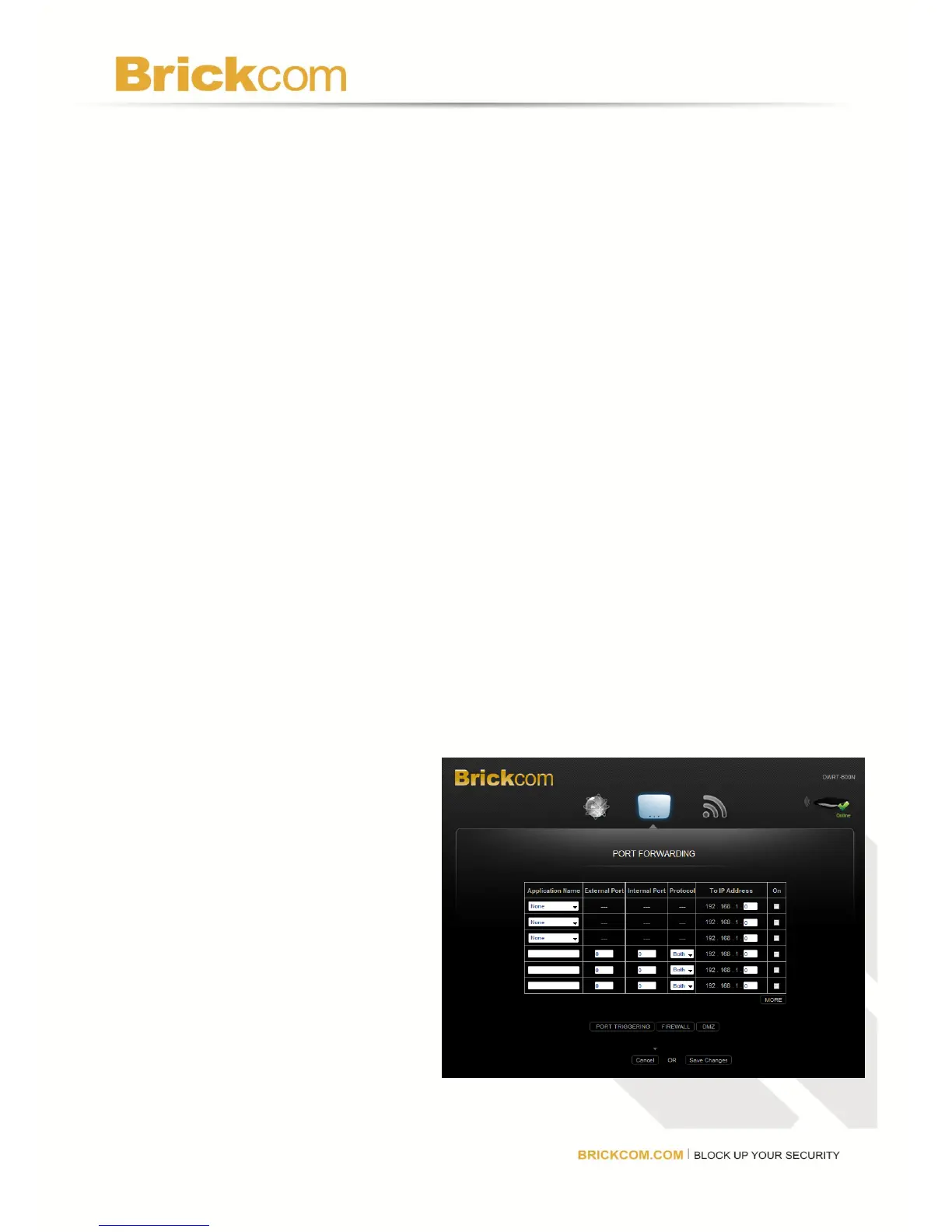
Port Forwarding
Port Forwarding allows the user to customize port services for common applications. When
users send these types of requests to
the network via the Internet, the
router will forward those requests to
the appropriate servers (computers).
Before using forwarding, the user
should assign static IP addresses to
the designated servers. Click Save
Changes to keep any changes made
to the router settings or click Cancel
to cancel changes.
Application Name: Select a
pre-configured application, or enter a
unique name (up to 12 characters).



 To Next Page