- 19 -
To automatically add a client, select Select Clients from DHCP Tables, click Select
next to the desired client, and then click Add Clients.
To manually add a client
and assign it an IP
address, select Manually
Add Client from the
drop-down box and then
enter the Client Name, IP
address, and MAC
address.
Click Add to add the IP
address.
To remove a client from
the list, click Remove
next to the client to
remove it.
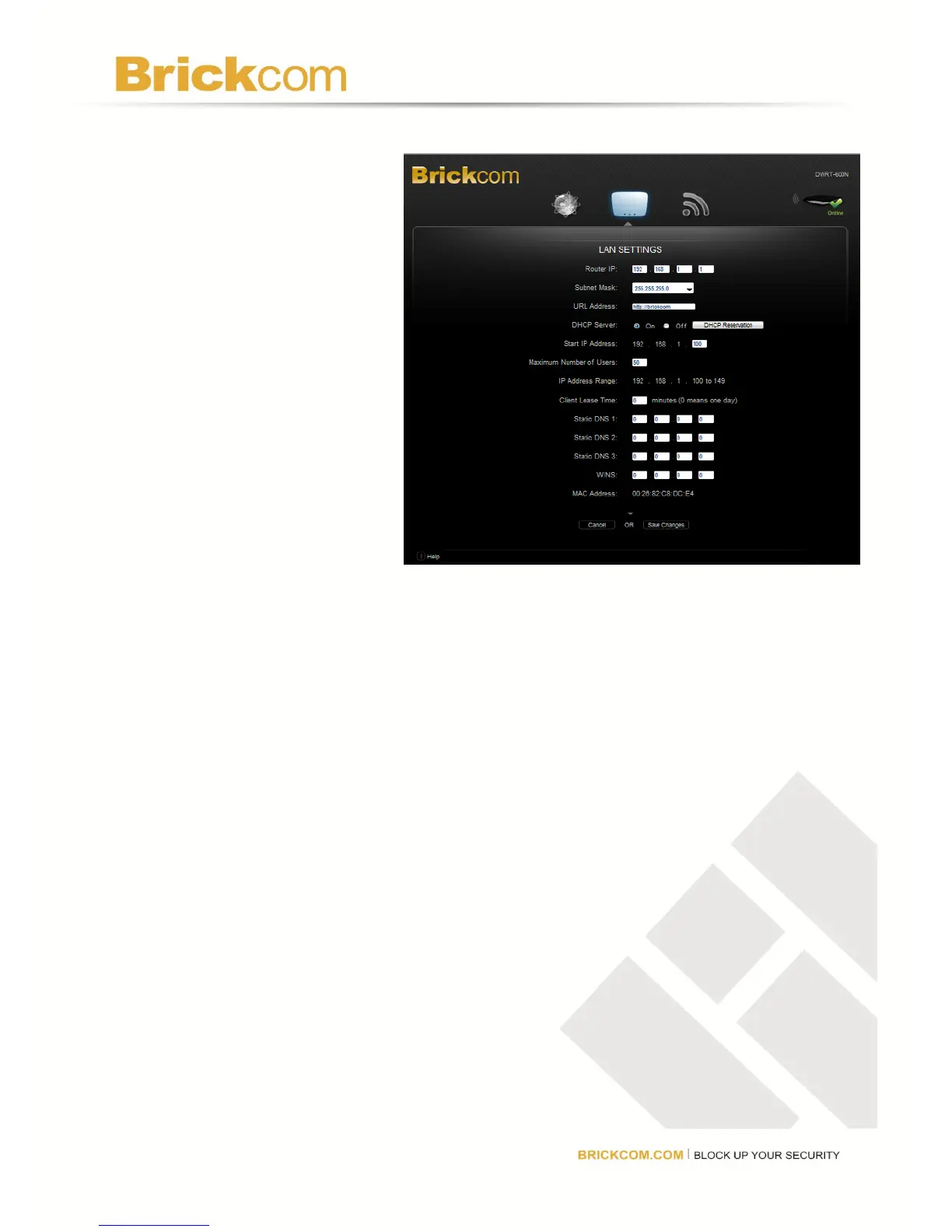
Start IP Address: Enter a value for the DHCP server to start with when issuing IP addresses.
Because the router’s default IP address is 192.168.1.1, the Starting IP Address must be
192.168.1.2 or greater, but smaller than 192.168.1.253.
Maximum Number of Users: Enter the maximum number of computers that can be assigned
an IP address by the DHCP server. The default is 50 and cannot exceed 155.
IP Address Range: This displays the range based on the Start IP address and the Maximum
Number of Users selected.
Client Lease Time: This is the amount of time a network user will be allowed to be connected
to (or "lease") the router with their current dynamic IP address. Enter the amount of time, in
minutes, that the user will be connected to this dynamic IP address. The default is 0 minutes,
which means one day. When time expires, the user will be automatically assigned a new
dynamic IP address.
Static DNS 1-3: The Domain Name System (DNS) is how the Internet translates domain or
website names into Internet addresses or URLs. Contact the ISP to get at least one DNS Server
IP Address to enter in the spaces provided. Up to two DNS Server IP Addresses can be entered.
The router will use these for quicker access to functioning DNS servers.
WINS: The Windows Internet Naming Service (WINS) manages each computer’s interaction
with the Internet. If using a WINS server, enter that server’s IP Address here. Otherwise, leave
these spaces blank.



 To Next Page