2 - 6
Main unit
Main parts
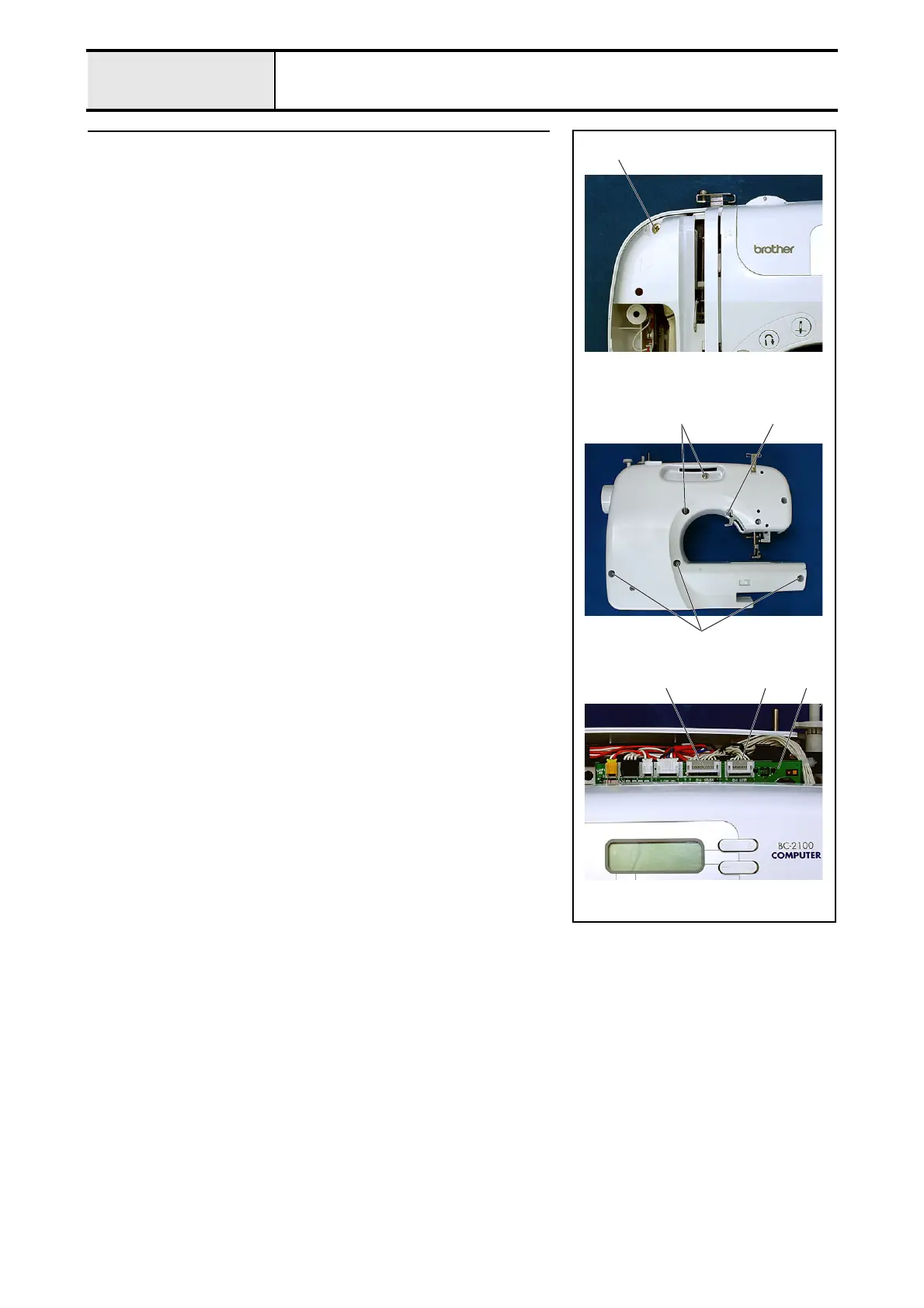
5 Front cover removal
1. Remove screws 1 (front, 1 pc.), 2 (rear, 1 pc.), and 3 (rear, 5 pcs.), and
then remove the front cover.
*Key point
• Disconnect the SSVR PCB lead wire connector 1 and the
operation PCB lead wire connector 2 from the main PCB
assembly 3 located near the front cover.
1
213
3
3
2


 To Next Page