6-22 Confidential
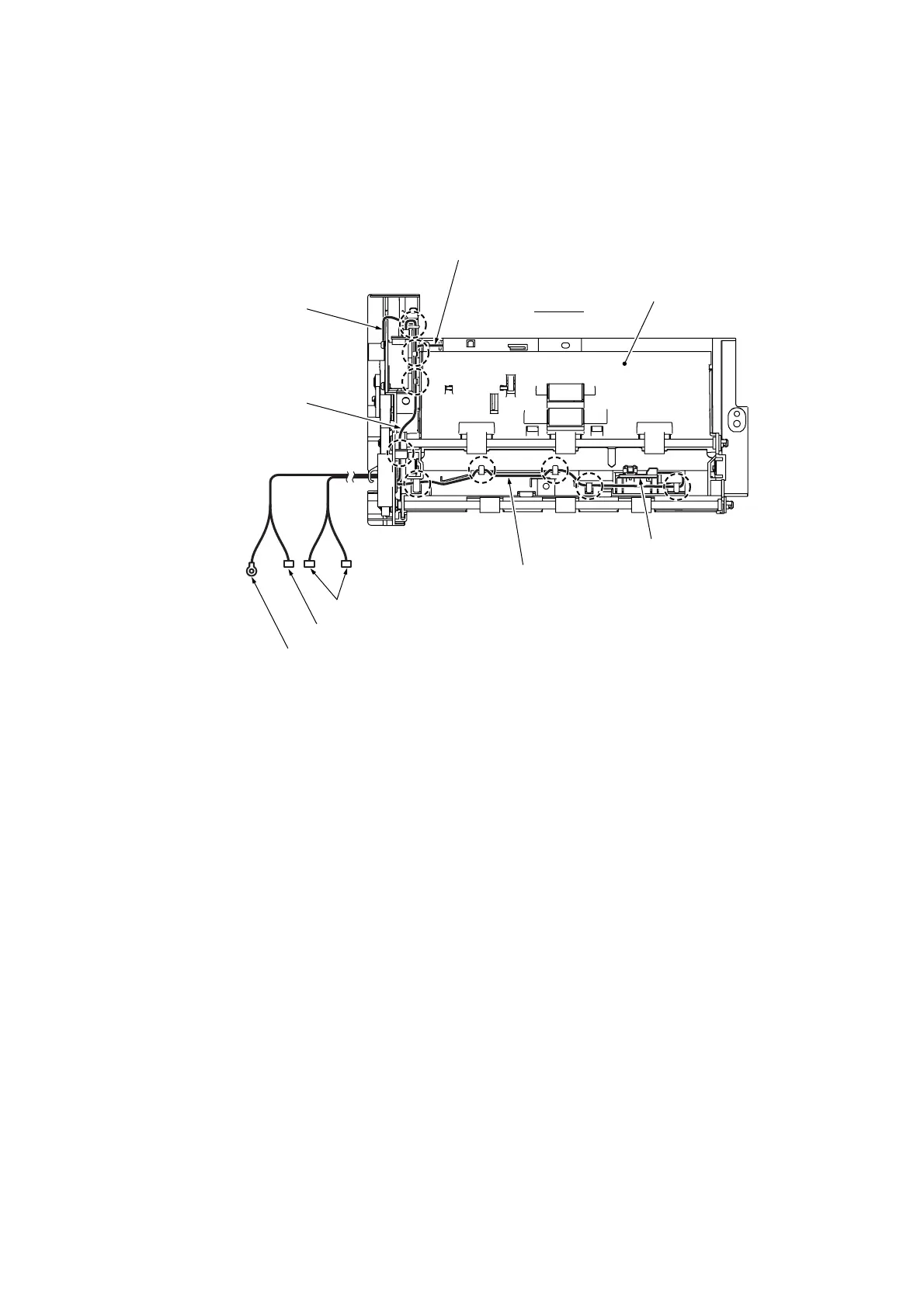
• Before mounting the ADF unit on the document cover, make sure that the ADF motor harness,
grounding wire, and document front and rear sensor harnesses are routed on the top of the ADF
unit as shown below. Also make sure that the bundle of those harnesses is routed through the
cable guide (shown on page 6-19) provided at the rear of the ADF unit.
Document rear sensor PCB
(6_23)
ADF unit
Top view
Document front sensor harness
Grounding wire
ADF motor harness
(Rear)
Document front and rear sensor harnesses
ADF motor harness
Grounding wire
Document rear sensor harness
• When securing the ADF unit on the document cover, tighten four screws (three "a" and one "b"
screws) in the order of through as shown at the bottom of page 6-17.
When mounting the ADF reinforcement plate and three pinch roller & spring assemblies, first
secure the ADF reinforcement plate with the screw. Then insert the pinch roller & spring
assemblies between the plate and document cover until they snap into place.
• When handling the document pressure bar, be careful not to stain or scratch the white reference
film on the bar. (See page 6-16.)
When mounting the document pressure bar on the ADF unit, set the spring, press the lock arms
on the ADF unit outwards, fully insert the no-tab end of the document pressure bar into the ADF
unit, and then fit the two tabs into the square openings. After that, make sure that the document
pressure bar is supported by the two lock arms. (See page 6-16.)



 To Next Page