USING P-TOUCH SOFTWARE
28
Using P-touch Transfer Manager (For Windows)
This application allows you to transfer templates and other data to the P-touch and save
backups of your data on the computer.
This function is not supported with Macintosh computers.
There are some restrictions regarding the templates that can be transferred to the P-touch.
For details, refer to “Notes on Using P-touch Transfer Manager (For Windows)” on page 62.
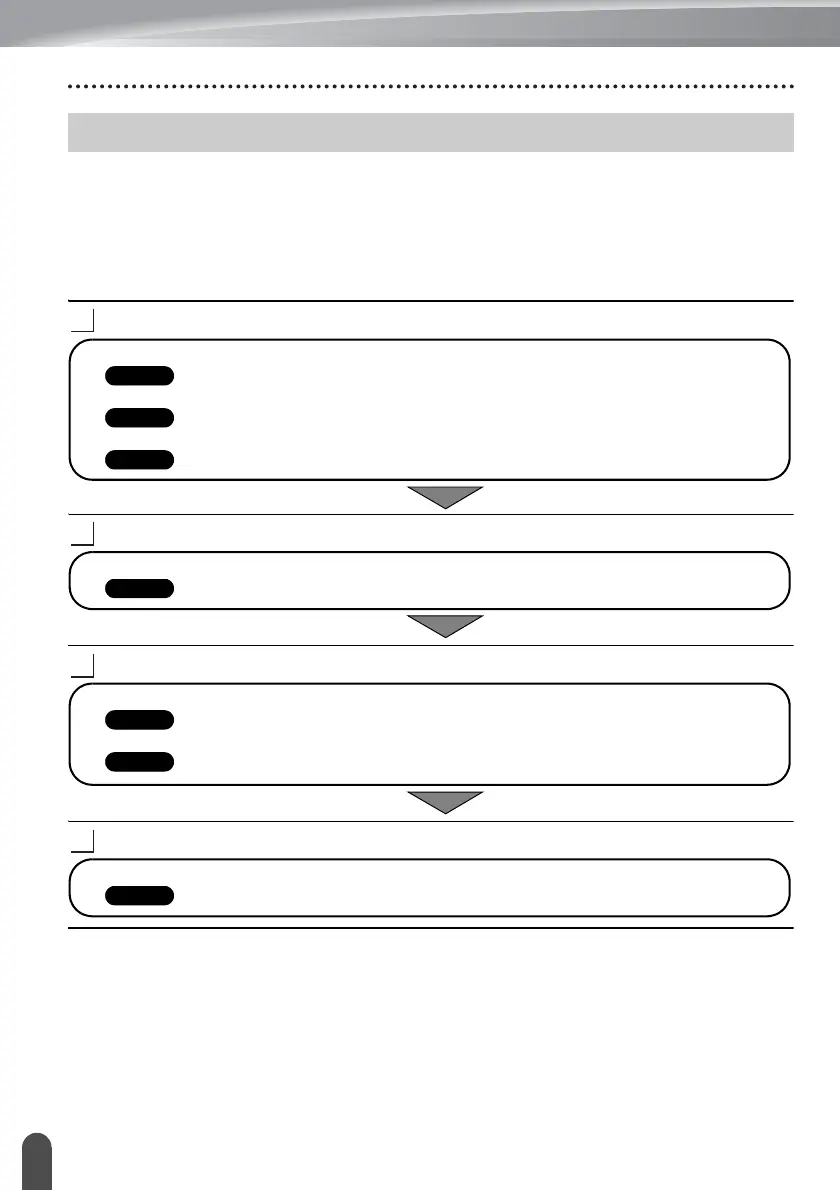
How to Use P-touch Transfer Manager
Create or open a template using P-touch Editor.
Transfer the template to P-touch Transfer Manager.
Transfer the template to the P-touch using P-touch Transfer Manager.
Print (without using a computer) the template that was transferred to the P-touch.
Using P-touch Transfer Manager (For Windows)
• Prepare the P-touch Editor and open/edit the template.
• Update the P-touch Editor if necessary.
• Notes on using P-touch Transfer Manager (For Windows)
• Transferring the label template to P-touch Transfer Manager
• Using P-touch Transfer Manager
• Transferring templates or other data from the computer to the P-touch
• Printing the transferred template














 To Next Page