37
Using P-touch Transfer Manager (For Windows)
USING P-TOUCH SOFTWARE
Deleting All the P-touch data
Use the following procedure to delete all templates or other data that are saved in the P-
touch.
Connect the computer and the P-touch and turn on the P-touch.
The model name is displayed in the folder view.
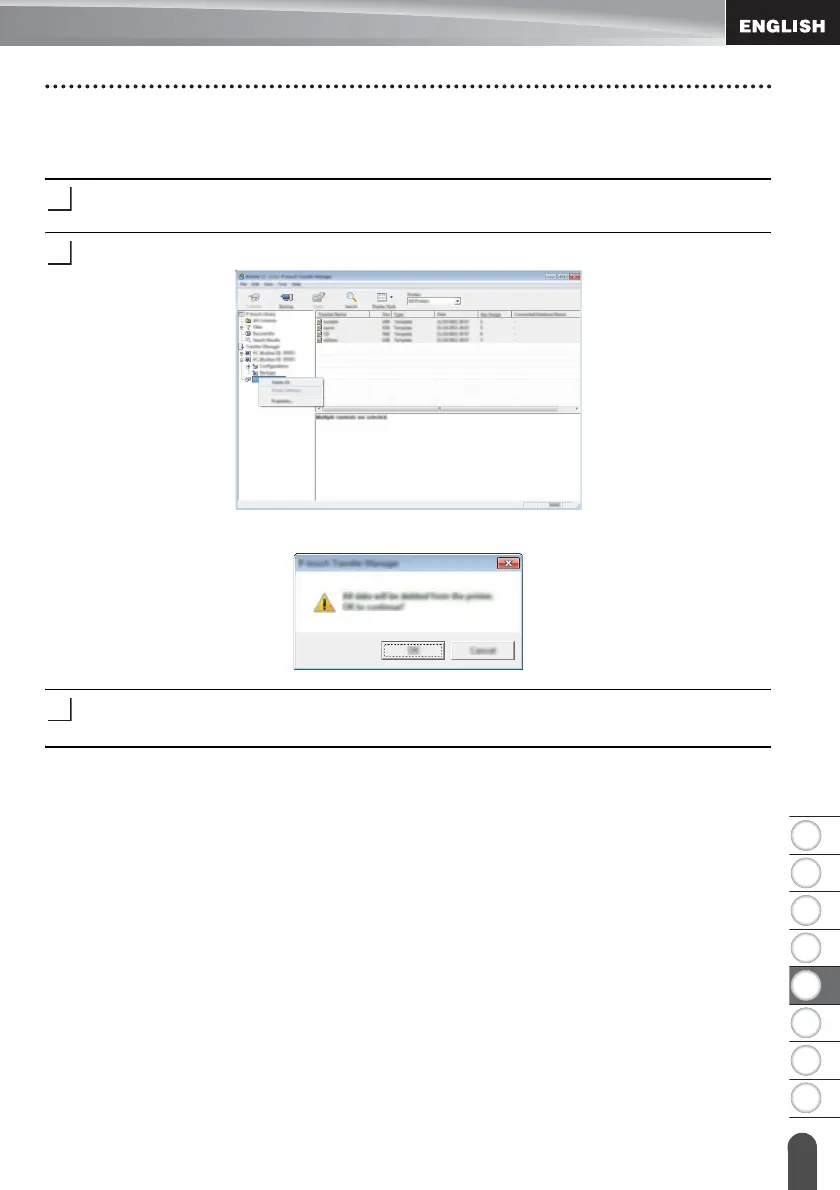
Right-click your model, and then select [Delete All].
A confirmation message is displayed.
Click [OK].
All templates and other data saved in the P-touch are deleted.














 To Next Page