USING P-TOUCH SOFTWARE
30
Using P-touch Transfer Manager (For Windows)
Using P-touch Transfer Manager
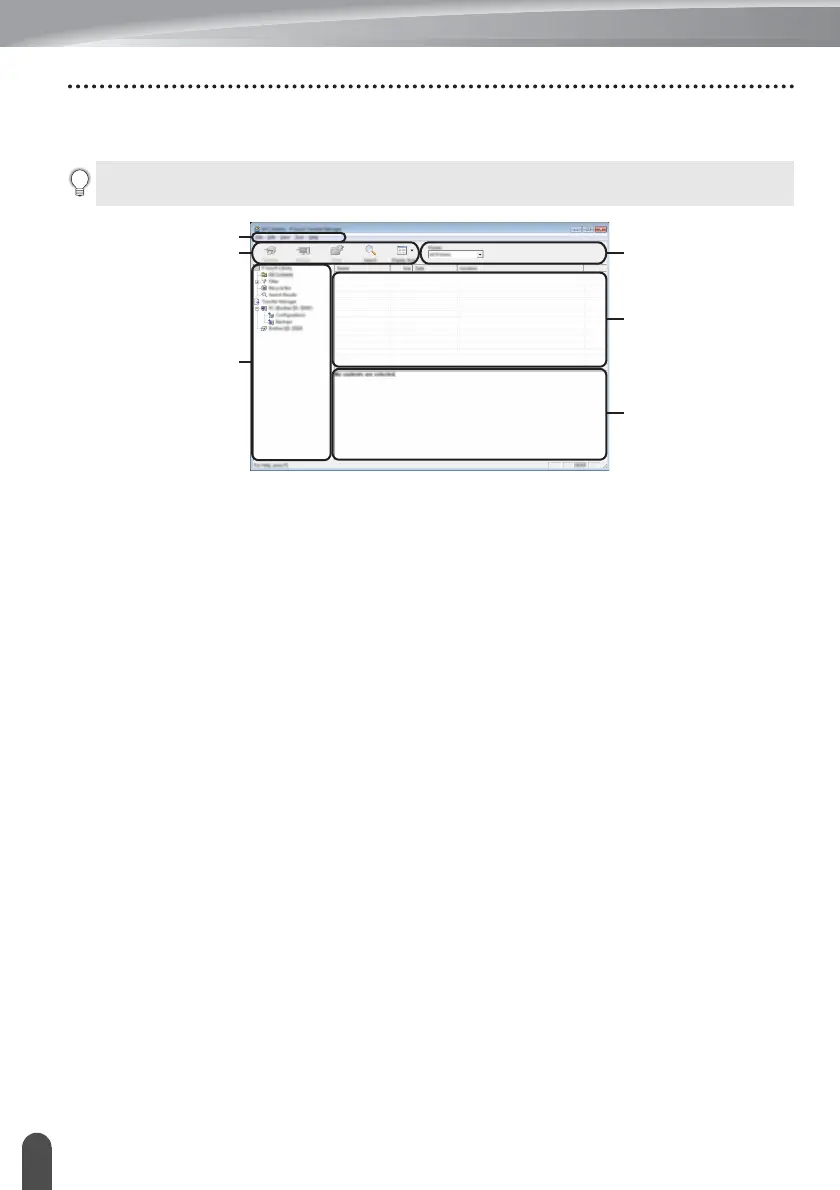
When P-touch Transfer Manager starts, the main window is displayed.
1. Menu bar
Provides access to various commands, which are grouped under each menu title ([File],
[Edit], [View], [Tool], and [Help]) according to their functions.
2. Toolbar
Provides access to frequently used commands.
3. Printer selector
Allows you to select which printer or P-touch the data will be transferred to. When you
select a P-touch, only the data that can be sent to the selected P-touch is displayed in the
data list.
4. Folder view
Displays a list of folders and P-touchlabellers. When you select a folder, the templates in
the selected folder are displayed in the template list.
If you select a P-touch, the current templates and other data stored in the P-touch are
displayed.
5. Template list
Displays a list of templates in the selected folder.
6. Preview
Displays a preview of the templates in the templates list.
You can also start P-touch Transfer Manager from P-touch Editor.
Click [File] - [Transfer Template] - [Transfer].
2
4
1
3
5
6














 To Next Page