20
Using P-touch Editor
USING P-TOUCH SOFTWARE
You will need to install P-touch Editor and the printer driver to use your P-touch with your
computer.
For details on how to install the P-touch software, please refer to the Quick Setup Guide.
Refer to the procedures below for your computer’s operating system. In the screen shots,
“XX-XXXX” is displayed to represent the P-touch model number.
To download the latest driver and software, please visit the Brother support website at:
support.brother.com
.
Using P-touch Editor (For Windows)
Starting P-touch Editor
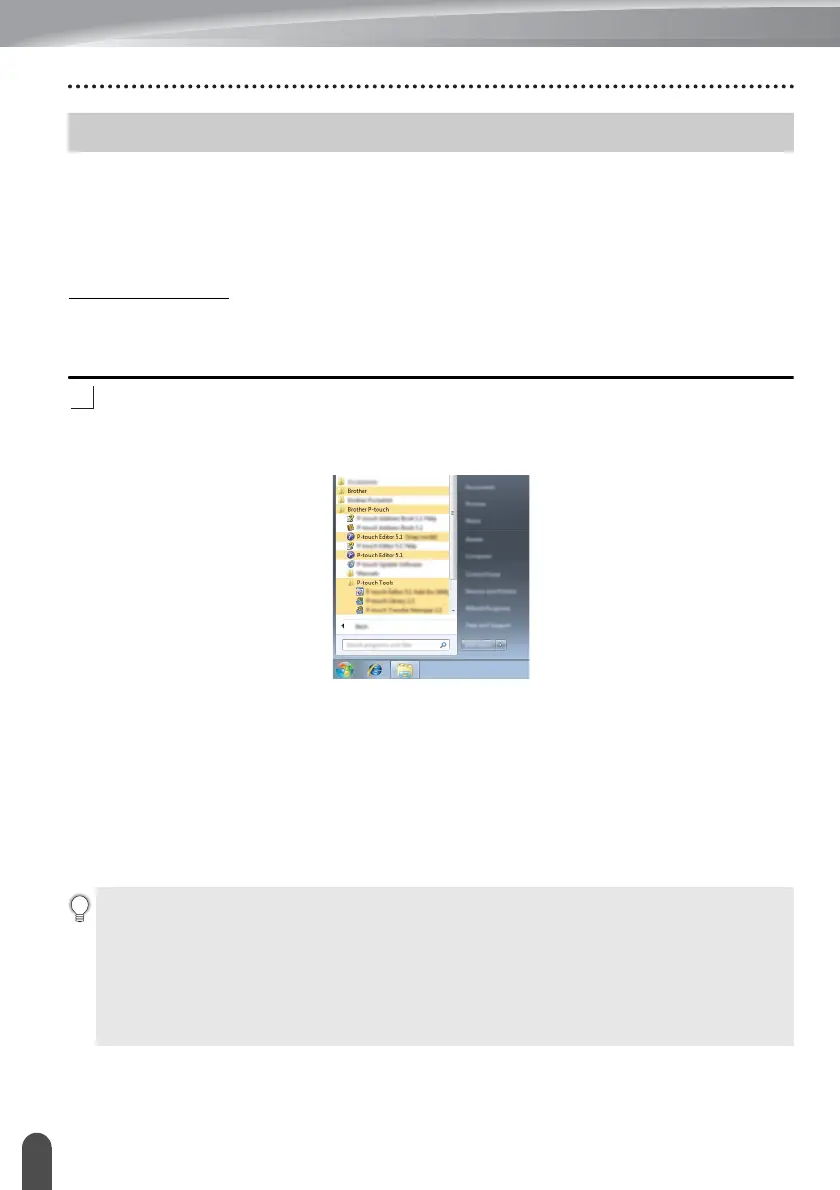
For Windows 7
From the Start button, click [All Programs]-[Brother P-touch]-[P-touch Editor].
When P-touch Editor starts, select whether you want to create a new layout or open an
existing layout.
For Windows 8.1
Click [P-touch Editor] on [Apps] screen or double-click [P-touch Editor] on the desktop.
When P-touch Editor starts, select whether you want to create a new layout or open an
existing layout.
For Windows 10
From the Start button, select [All apps] and click [P-touch Editor] under [Brother P-touch],
or double-click [P-touch Editor] on the desktop.
When P-touch Editor starts, select whether you want to create a new layout or open an
existing layout.
Using P-touch Editor
• You can also start P-touch Editor using shortcuts, if you selected to create shortcuts
during installation.
• Shortcut icon on the desktop: double-click to start P-touch Editor
• Shortcut icon in the Quick Launch bar: click to start P-touch Editor
• To change how P-touch Editor functions when it starts, click [Tools]-[Options] in the
P-touch Editor menu bar to display the [Options] dialog box. On the left side, select the
[General] heading and then the desired setting in the [Operations] list box under
[Startup Settings]. The default setting is [Display New View].














 To Next Page