USING P-TOUCH SOFTWARE
32
Using P-touch Transfer Manager (For Windows)
Transferring Templates or Other Data from the Computer to the P-touch
Use the following procedure to transfer templates, databases and images from the computer
to the P-touch.
Start P-touch Transfer Manager using the following procedure.
For Windows 7
From the Start button, click [All Programs] - [Brother P-touch] - [P-touch Tools] -
[P-touch Transfer Manager].
For Windows 8.1
Click [P-touch Transfer Manager] on [Apps] screen.
For Windows 10
From the Start button, select [All apps], and then click [P-touch Transfer Manager] under
[Brother P-touch].
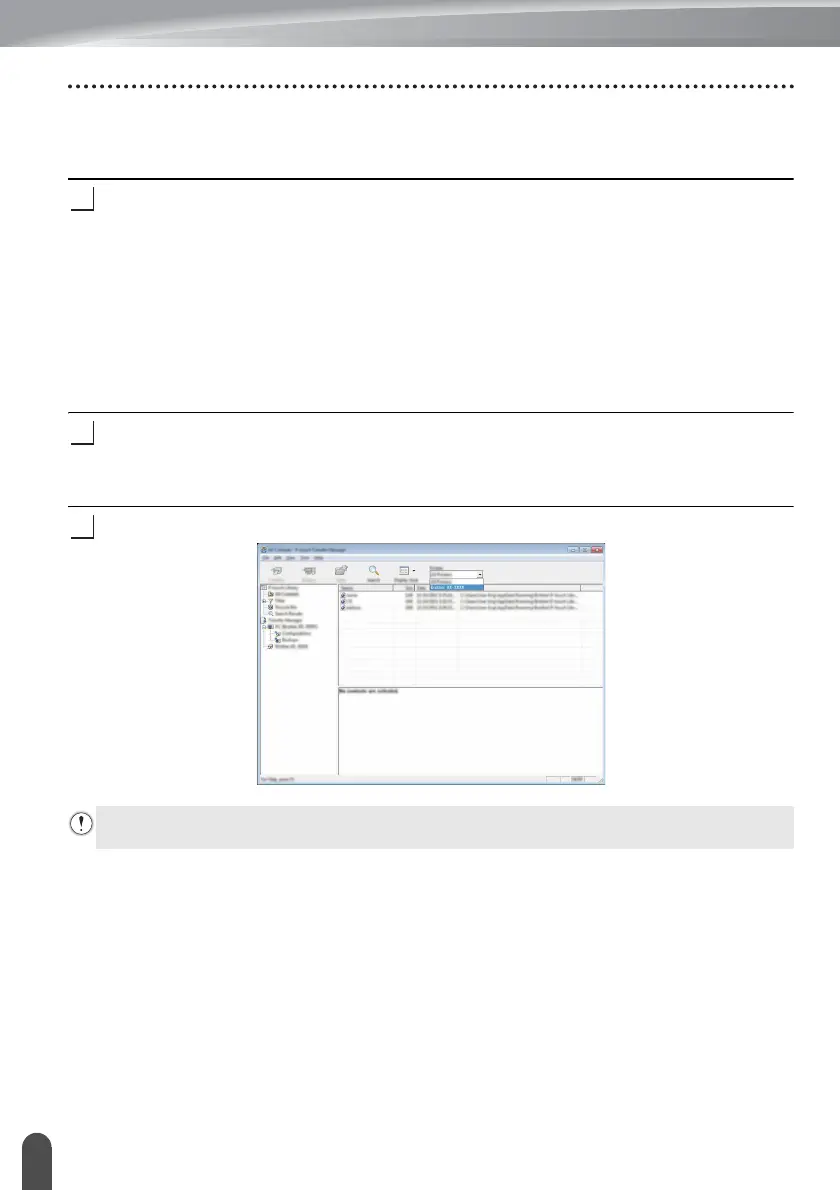
Connect the computer and the P-touch via USB and turn on the P-touch.
The P-touch model name is displayed in the folder view.
If you select a P-touch in the folder view, the current templates and other data stored in
the P-touch are displayed.
Select the P-touch that you want to transfer the template or other data to.
Before transferring data, check that the PC and the P-touch are correctly connected with
a USB cable and that the P-touch power is On.














 To Next Page