33
Using P-touch Transfer Manager (For Windows)
USING P-TOUCH SOFTWARE
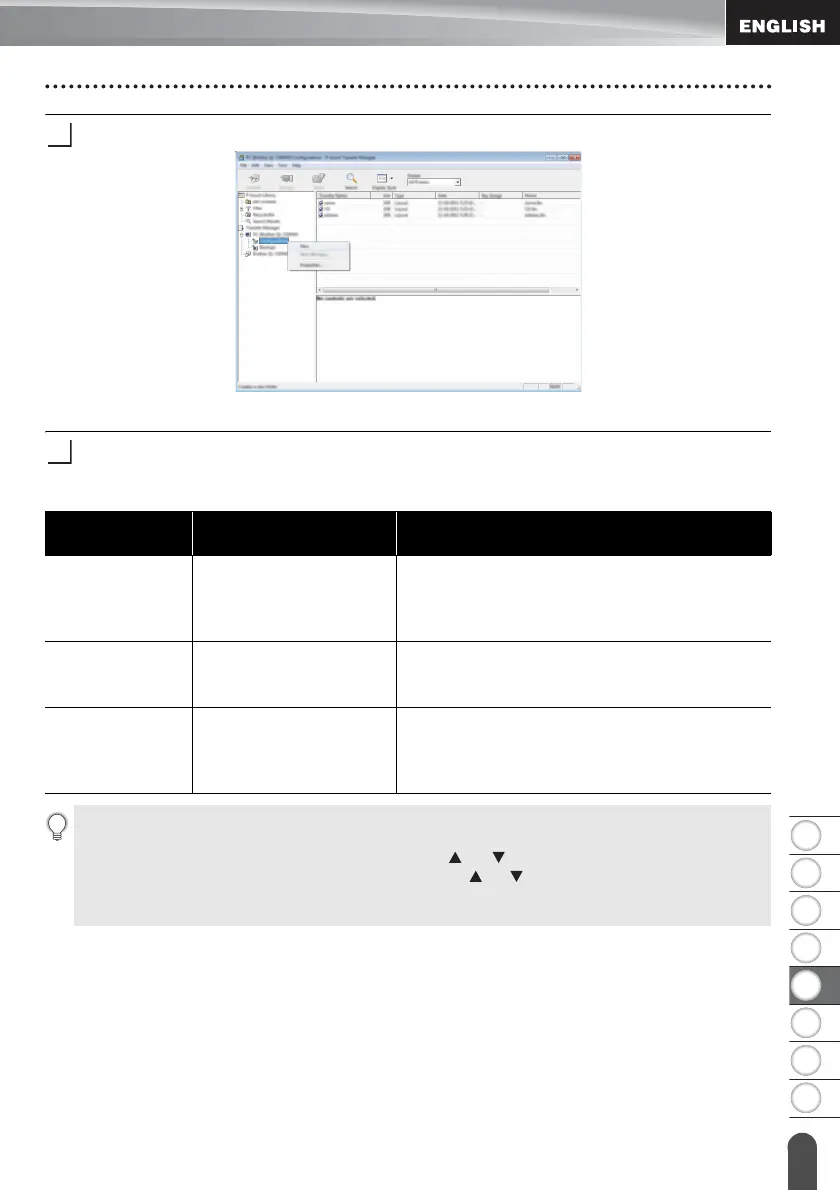
Right-click the [Configurations] folder, select [New], and then create a new folder.
In the example above, the folder [Transfer] is created.
Drag the template or other data that you want to transfer and place it in the new folder.
Transfer Function Specification
Data type
Maximum number of
transferable items
Restriction details
Template 99
• Each template can contain a maximum of 50
objects.
• Each object can contain a maximum of 7
lines.
Database 99
• Only *.csv files can be transferred.
• Each *.csv file can contain a maximum of
256 fields and 65,000 records.
Image
(User-defined
character)
99
• Only *.bmp files can be transferred.
• Monochrome *.bmp files are recommended.
• The size limit is 2,048 × 2,048 pixels.
• Wide images may be cropped.
The available space in the transfer file memory can be confirmed using the following
procedure.
Press the Menu key, select “Usage” using the or key, and then press the OK or
Enter key. Select “Transferred Content” using the or key and press the OK or Enter
key.
* The available space that is displayed in “Available : X.XXMB” may be different from the actual available space.














 To Next Page