USING P-TOUCH SOFTWARE
34
Using P-touch Transfer Manager (For Windows)
You can view the templates and other data by selecting the folder in the [Configurations]
folder, selecting [All Contents] or by selecting one of the categories under [Filter], such
as [Layouts].
When transferring multiple templates or other data, drag all the files that you want to
transfer and place them in the new folder.
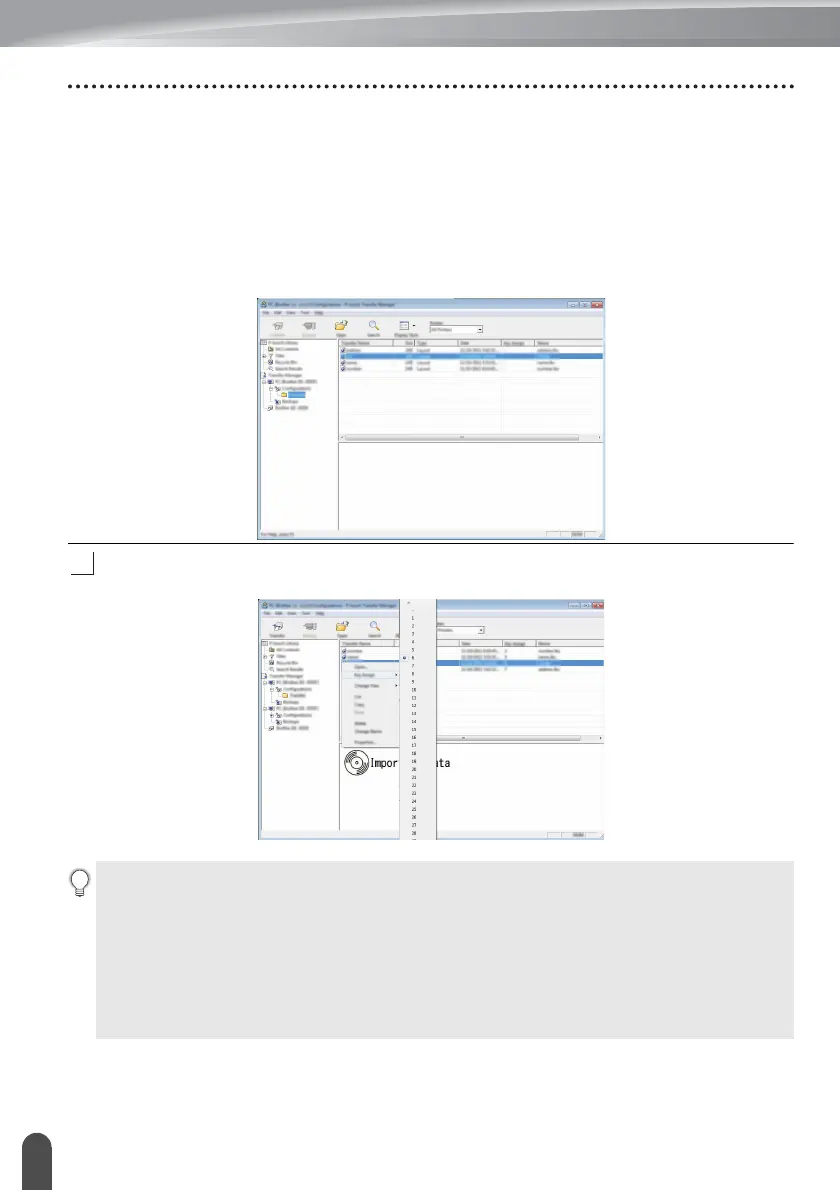
Each file is assigned a key number (memory location in the P-touch) when it is placed
in the new folder.
To change the key number assigned to an item, right-click the item, select [Key Assign],
and then select the desired key number.
• All data transferred to the P-touch is assigned a key number.
• If the template or other data transferred to the P-touch has the same key number as
another template already saved in the P-touch, the new template will overwrite the old
one. You can confirm the templates key number assignments saved in the P-touch by
backing up the templates or other data (refer to “Backing Up Templates or Other Data
Saved in the P-touch” on page 36).
• If the P-touch memory is full, remove one or more templates from the P-touch nonvolatile
memory (refer to “Backing Up Templates or Other Data Saved in the P-touch” on
page 36).














 To Next Page