73
Outboard Rigging
Buss Cable, Hoses, and Wire Routing and Connections
4
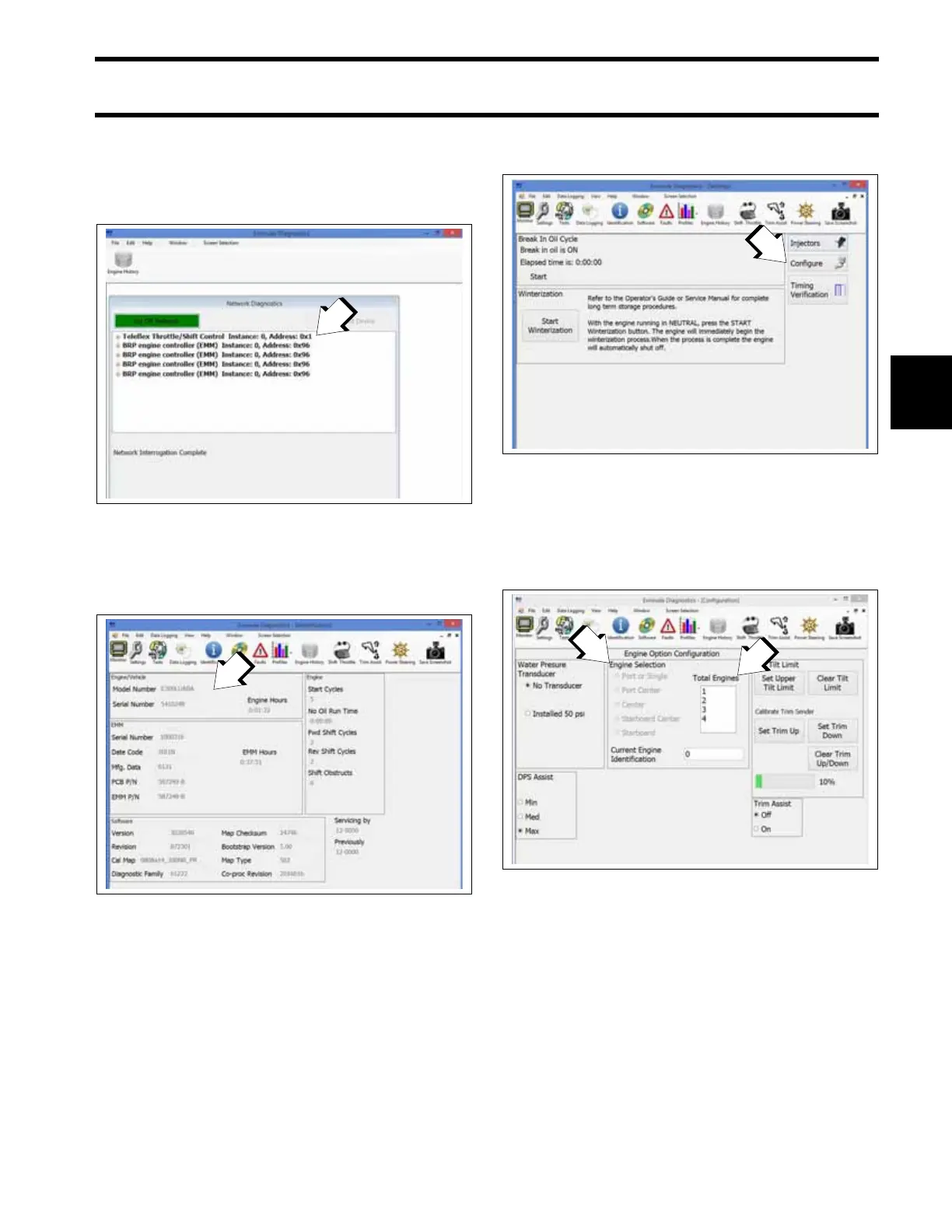
Open the Evinrude Diagnostics software pro-
gram.
2. From the Device List select the EMM for the
first engine.
2. Select the Identification screen and record the
model number and serial number of the
engine.
Close the Identification screen.
2. Next select the Settings screen.
Then select the Configure button.
2. Under Engine Option Configuration, select the
total number of engines.
3. Then select the engine’s transom position from
the available Engine Selection list.
3. Close the Configuration screen.
Close the Settings screen.
1. Device List
009161
Identification Screen
009281
1. Model Number & Serial Number
Settings Screen
009243
1. Configure button
Engine Option Configuration
009237
1. Total number of engines
2. Engine Selection list







 To Next Page