OL-B200(XL)-13
7. SCREENS
220V
1
1
2
2
7.a ROLLERTUBES
1
2
3
SINGLE
Screen without window Screen with window
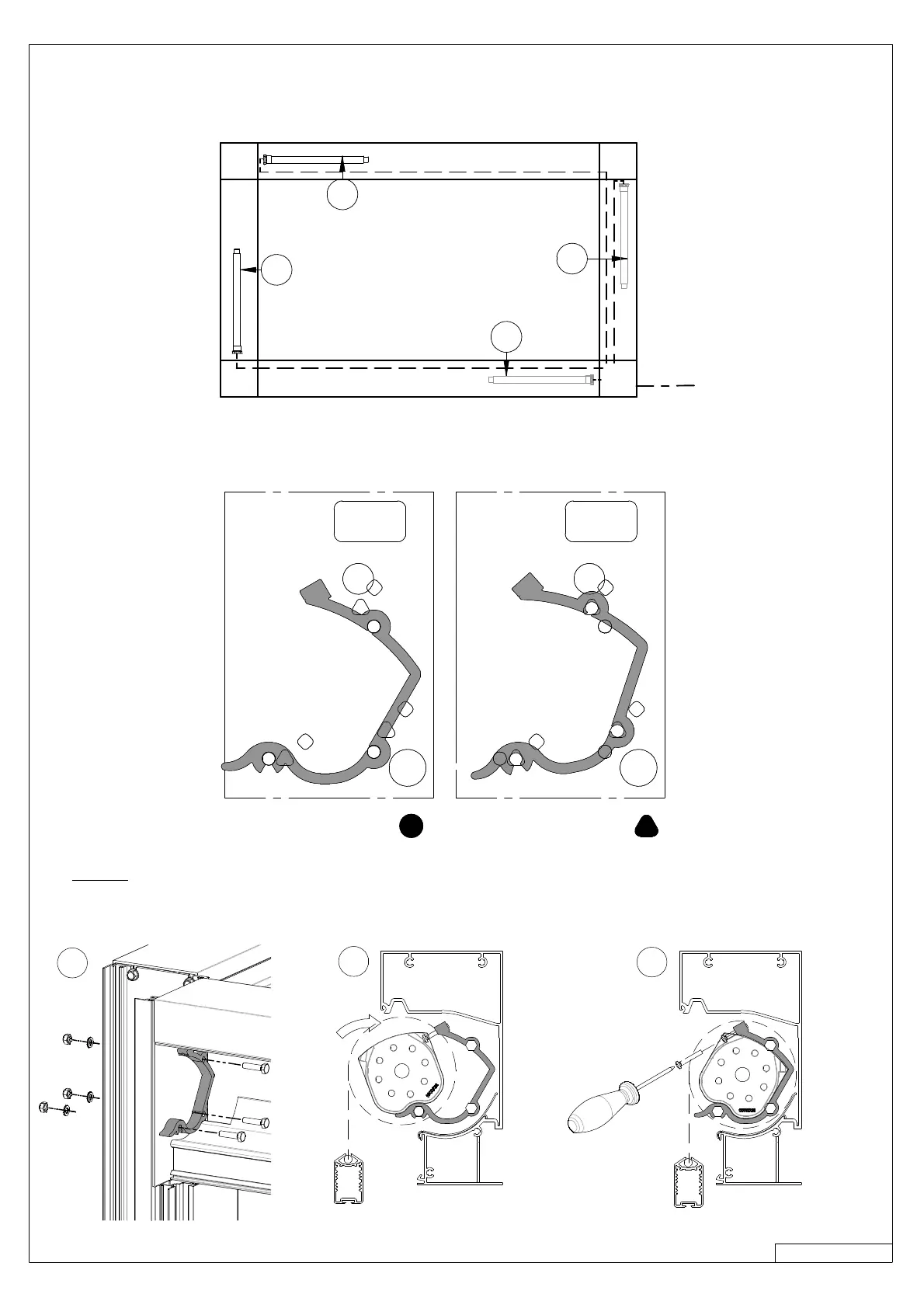
› The rollertube support can be installed in 2 different ways depending on the type of fabric, see drawing underneath.
› When mounting the rollertube supports, you should first drill through the gaskets
› If there are 3 or 4 screens, start with the screenswith the longest distance from the electrical supply.
(number 1 on the following diagram)
› Attach the rollertube supports to the vertical poles (3 x M6x25) (1).
› Insert the screens as shown below (2), and secure them on both sides (M4x20) (3).



 To Next Page