OL-B200(XL)-17
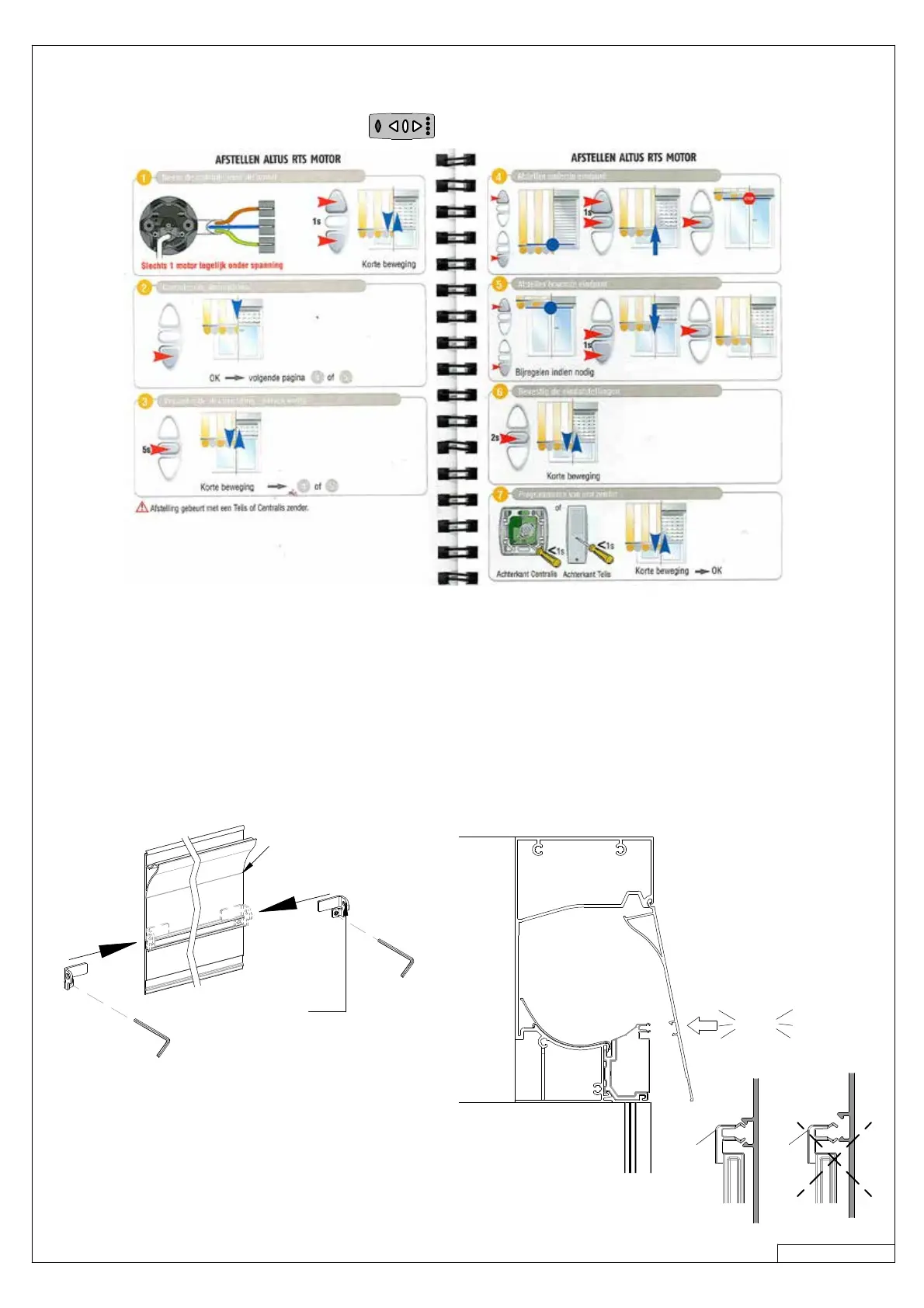
10 ADJUSTING THE SCREEN MOTORS
11 SCREEN COVER
click
Cover Mainhousing
lock cover
› See manual of the remote control.
› When there are multiple screens:
› Connect one of the motors to the elektricity grid (230V).
› Adjust the endpositions and assign the remote control to the motor.
› DISCONNECT the motor from the eletricity grid !
› Do the same with the other motors, connect them to the elektricity grid one by one.
› Once all motors have been adjusted, connect them to electricity grid again.
› Mount the lock covers on the screen covers.
› Hook the cover in the screen housing, and close it on the left and right side of the cover. (4)



 To Next Page