86
A12116
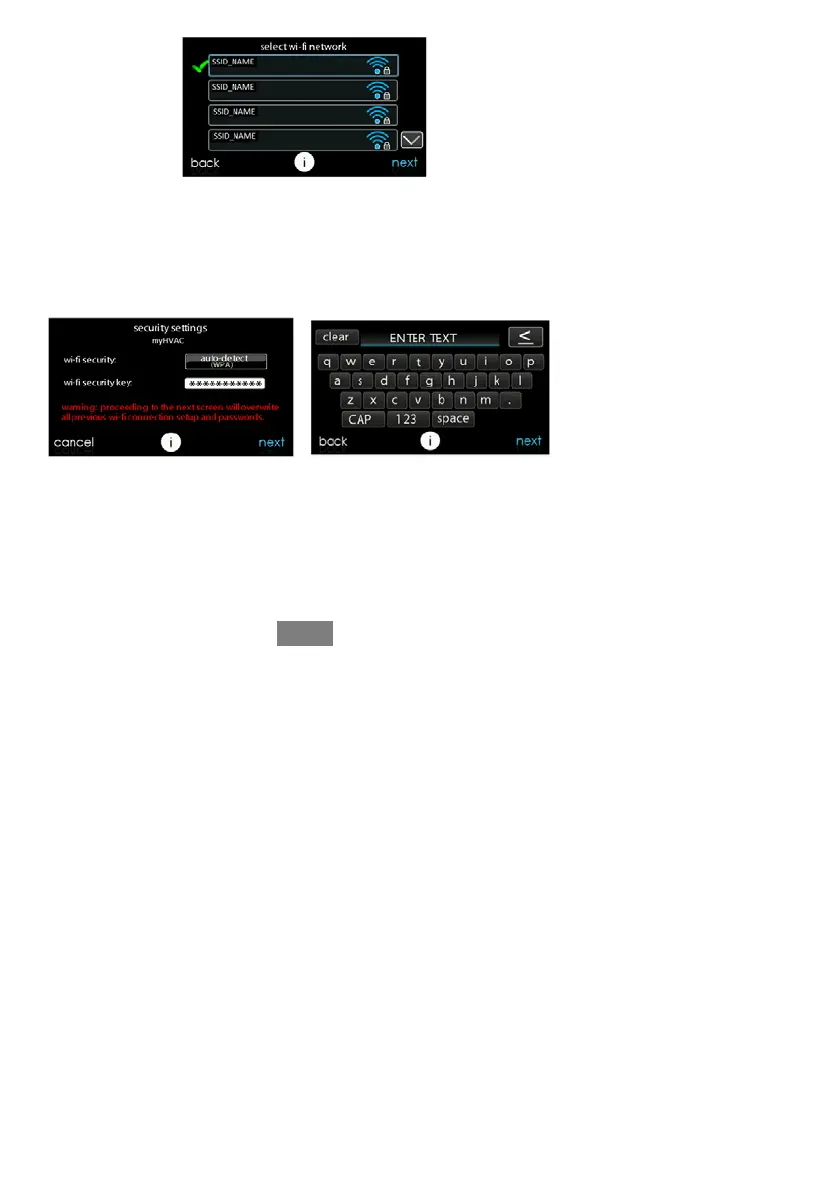
S Use the on screen keyboard to enter the Wi--Fi network security key, then touch
NEXT.
d Touch in the security key area, and the keyboard will appear.
d The security key can be found on the back of the TP--LINK Wireless Ac-
cess Point.
A12117
S The control will inform you if the connection is successful. If so, touch DONE.
d If the connection is unsuccessful, verify that the proper informatio n has
been entered before you touch RETRY. The control will go through the
process again.










 To Next Page