Operation
- 3.14 - SMART KNIT
FEEDS - Configuration of Machine Feeds
SETUP
$
$$
$
CONFIG
$
$$
$
FEEDS
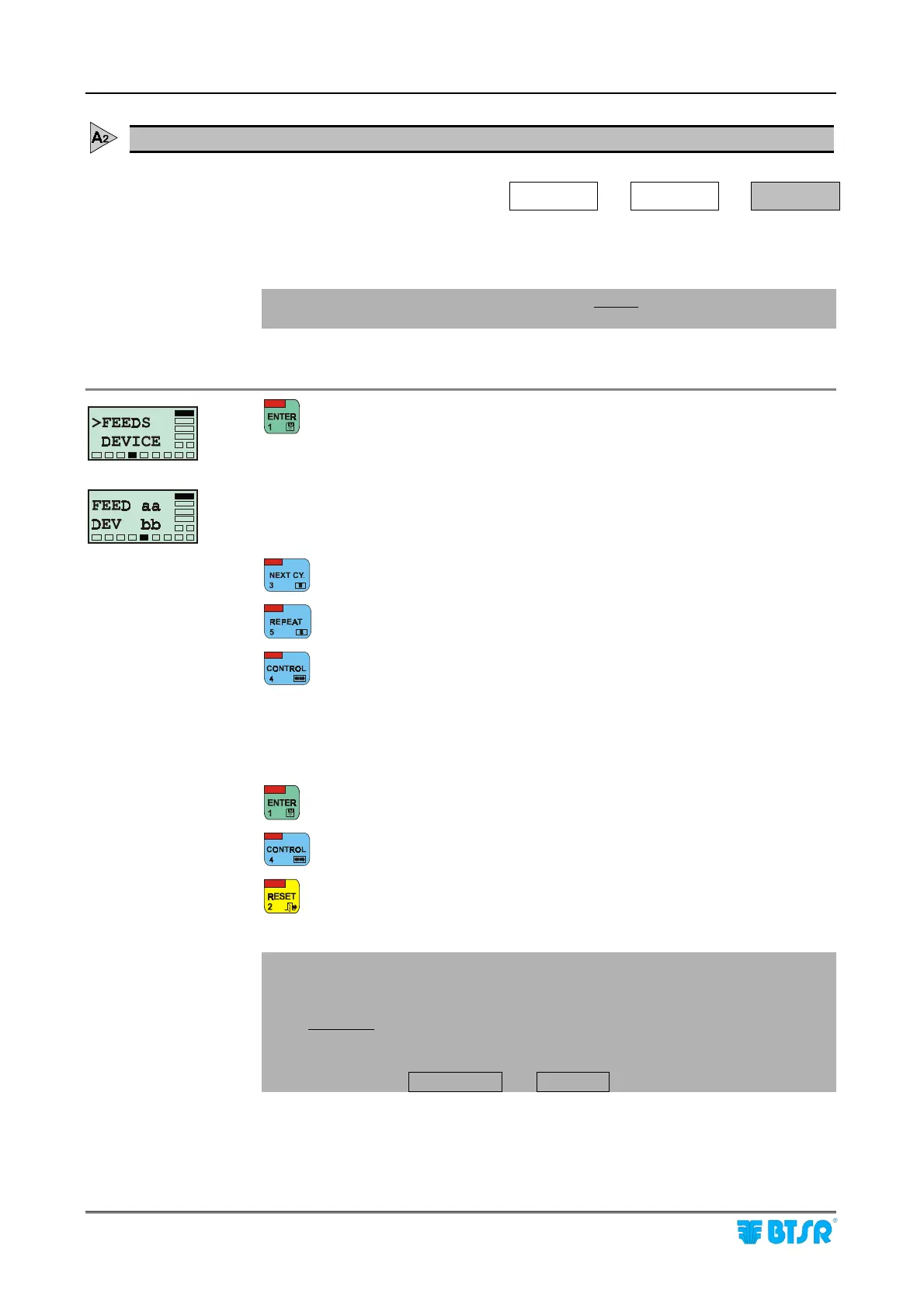
This function allows you to configure the number of machine feeds as well as the
number of IS3 sensors for each feed.
! The FEEDS function must be carried out before the device numbering
function (Device).
to activate the function.
aa = number of machine feeds
bb = number of feeders (i.e. sensors) for each feed.
to increase the value pointed by the cursor.
to decrease the value pointed by the cursor.
to move the cursor from aa field (feeds) to bb field (sensors per feed) or
viceversa.
Allowed values:
aa: (1 ÷ 120)
bb: (1 ÷ 6)
to confirm the configured values and return to P3 menu.
to select the next function (DEVICE).
to return to the P2 configuration menu.
! The result obtained multiplying the number of feeds (aa) by the number of
sensors per feed (bb) must be consistent with the number of SM-DIN
modules installed and configured with the Board function.
Example: if only 1 SM-DIN module was installed and configured, then the
result (aa x bb) shall not be > 100, since the maximum number of sensors
connectable to a SM-DIN module is 100.
Otherwise the .Program. and .Error.. will blink.











 To Next Page