Operation
SMART KNIT - 3.23 -
P_SLOW - Configuration of Detection Parameters with Slow Ext Input Active
SETUP
$
$$
$
P_SLOW
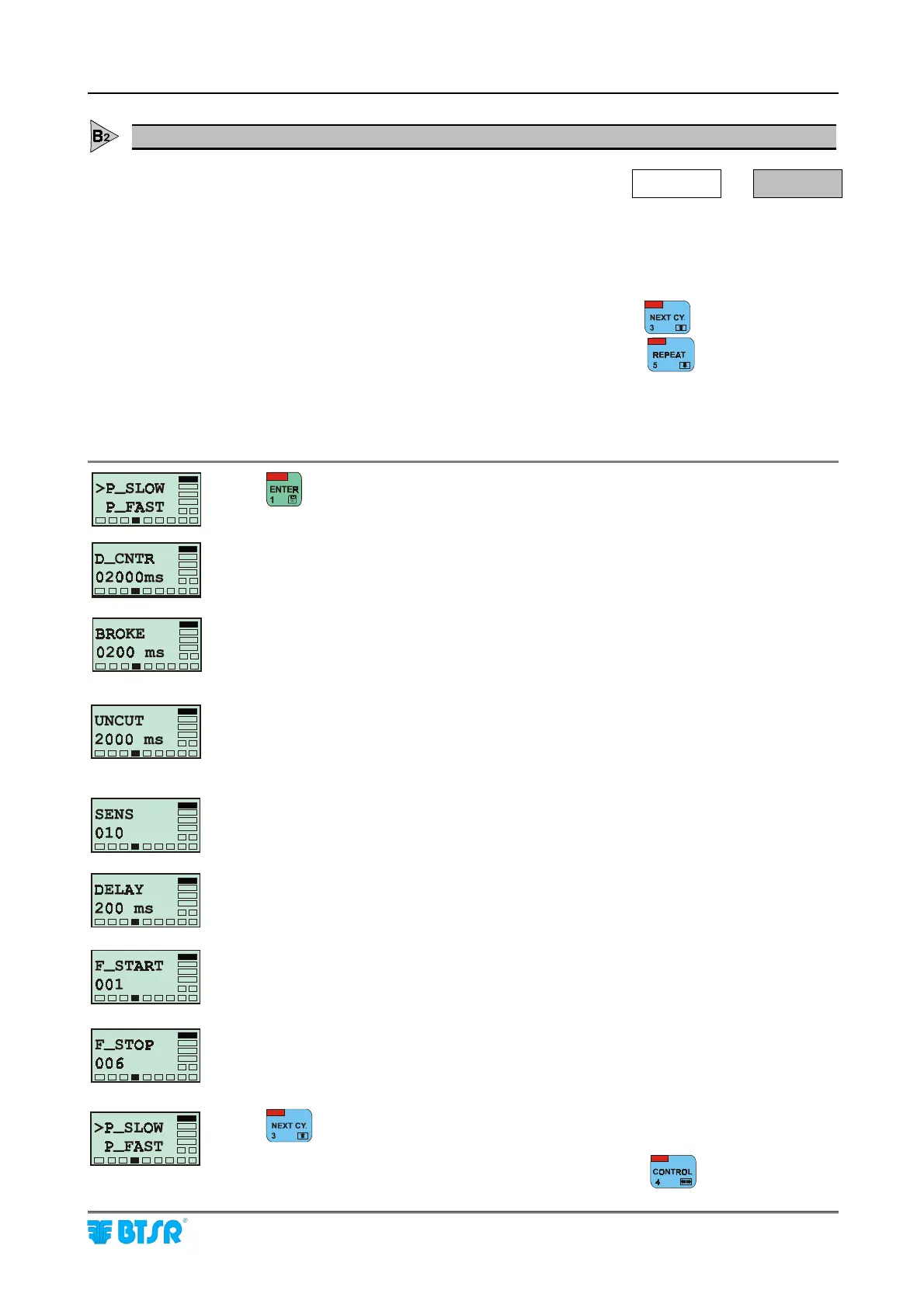
This function allows you to configure the sensor detection parameters during the
normal machine operation at low speed (for instance during the ramp stages).The
values indicated on the screens below represent the default values of the individual
parameters.
To increase the value of the various parameters, press
To decrease the value of the various parameters, press
For the meaning of each parameter, please refer to the paragraph “Settings that
affect the sensor detection features”.
to activate the function and to select, in sequence, the following parameters.
Delay Control
Allowed values: [100 ms ÷ 20,000 ms]
Broke (tolerance prior to signal the broken yarn condition)
Allowed values: [0010 ms ÷ 1,000 ms with steps of 10 ms and
1,000 ms ÷ 16,000 ms with steps of 100 ms] (*)
Uncut (tolerance prior to signal the uncut yarn condition)
Allowed values: [0010 ms ÷ 1,000 ms con with steps of 10 ms and
1,000 ms ÷ 16,000 ms con with steps of 100 ms] (*)
Sensitivity
Allowed values: [1 ÷ 10]
Delay (reaction time)
Allowed values: [5 ms ÷ 1,000 ms]
Start Frequency
Allowed values: [001 ÷ 010]
Stop Frequency
Allowed values: [001 ÷ 010]
to select the P_FAST option.
(*) This parameter can be de-activated (OFF) pressing











 To Next Page