Operation
- 3.16 - SMART KNIT
INPUT - Configuration of Input Signals
SETUP
$
$$
$
CONFIG
$
$$
$
INPUT
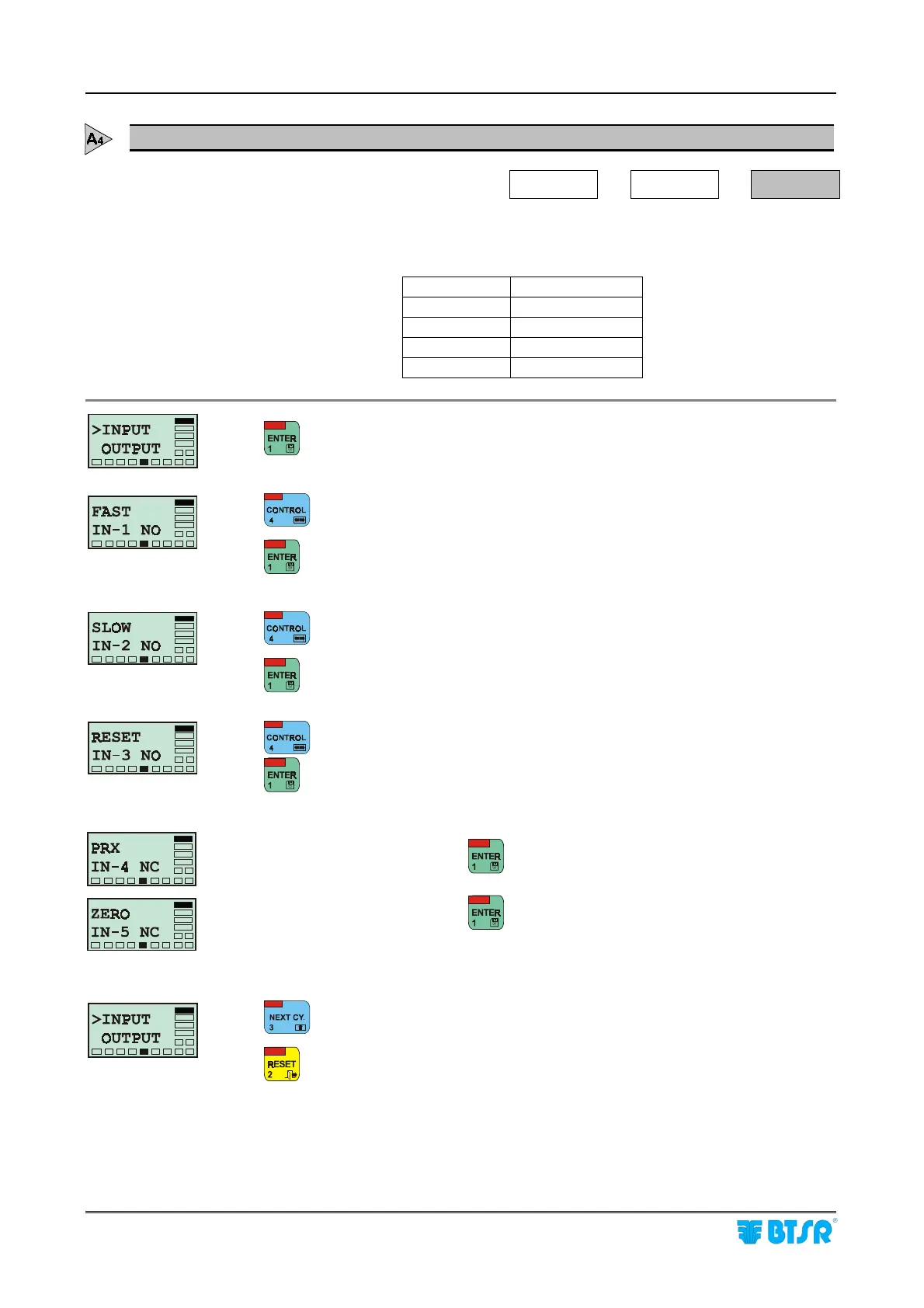
This function allows you to configure each of the 3 input signals (IN-1 ÷ IN-3) as
either normally closed (NC) or normally open (NO) contact.
IN-1 FAST EXT
IN-2 SLOW EXT
IN-3 RESET EXT
IN-4 Not used
IN-5 Not used
to activate the function (parameter IN-1 – FAST EXT).
to select NC or viceversa.
to confirm the choice and move to parameter IN-2 – SLOW EXT.
to select NC or viceversa.
to confirm the choice and move to parameter IN-3 - RESET EXT.
to select NC or viceversa.
to confirm the choice and move to parameter IN-4.
(*) Parameter not used, press
(*) Parameter not used, press
to move to the configuration of output signals.
to return to the CONFIG menu.











 To Next Page