Troubleshooting and Maintenance
- 4.2 - SMART KNIT
Faults Causes Solutions
The sensor failed at the
start of the yarn (the
green LED is not lit)
Insufficient Sensitivity ! Check the mechanical position of the
sensor (the yarn must run within the
image area).
! Increase Sensitivity and/or decrease
Start Frequency settings to optimise
the reading.
Missing yarn stop
signaling (the green led
does not turn off)
Sensitivity Too High
!
Decrease Sensitivity and/or increase
Stop Frequency settings.
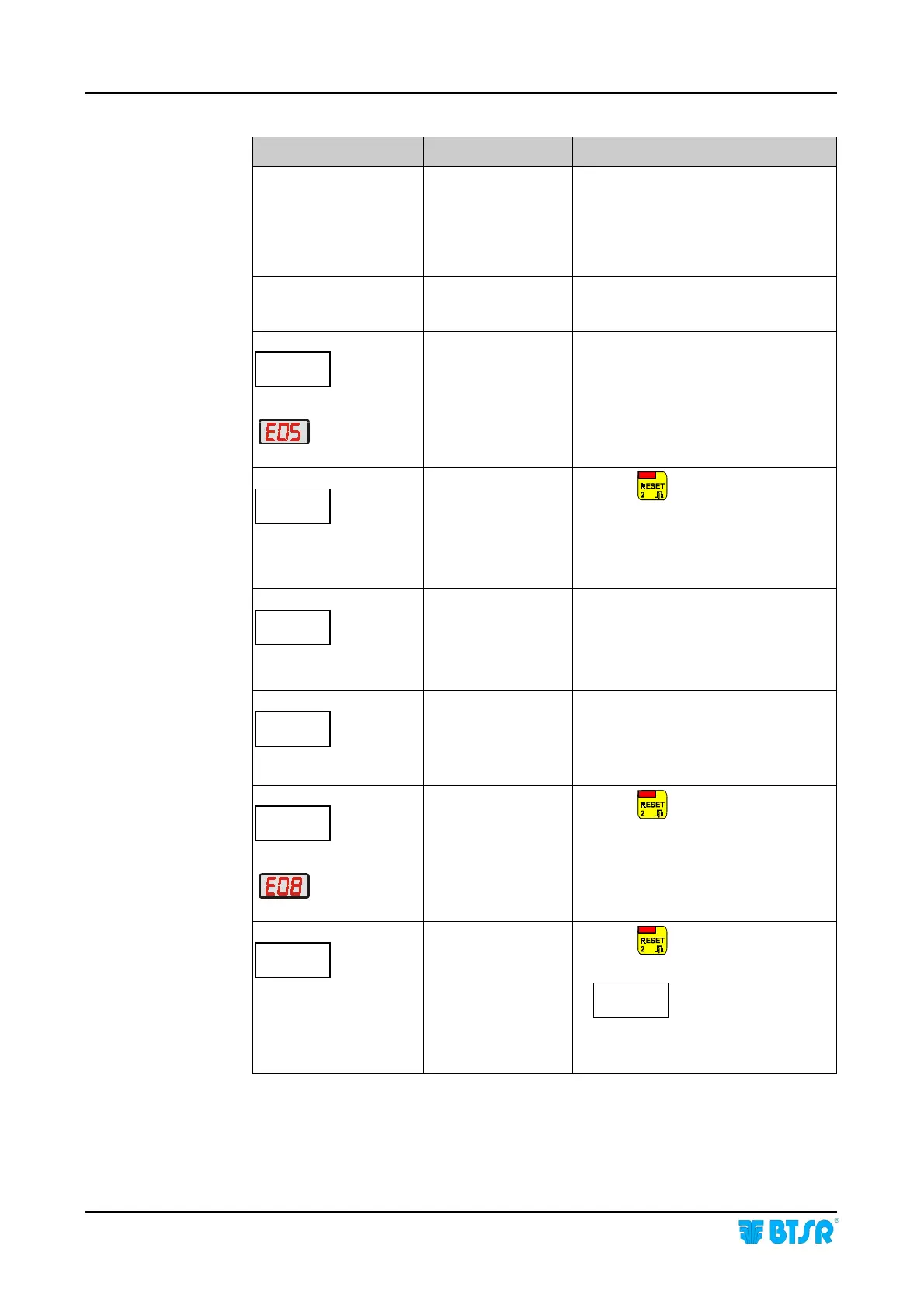
Message:
ERR-COM
DEV nn
on display
of SMART terminal and
message:
on display of the
involved MS-DIN module
Communication error
with sensor nn.
!
Check the RS485 connection.
! Run the TEST – SENSOR function to
check the correct sensor response.
!
If necessary replace the sensor or the
related SM-DIN module.
Message:
ERROR
BOARDNN
on display of SMART
terminal
Error on SM-DIN
module nn.
! Press
!
If the problem persists, turn the
system off and on again.
! If the problem persists, replace the
SM-DIN module.
Message:
ERROR
INPUT
on display of SMART
terminal
The input signal
configuration (SLOW
EXT, FAST EXT) is
not consistent on all
the SM-DIN modules.
!
Check the wiring of input signals.
Message:
ERR_COM
BOARDNN
on display of SMART
terminal
Communication error
between SMART
terminal and SM-DIN
modules.
!
Check the numbering of SM-DIN
modules and baudrate
(115 kbps)
.
If the problem persists replace the
SM-DIN module.
Message:
ERR_PRG
DEV nn
on display
of SMART terminal and
message:
on display of the
involved MS-DIN module
Communication error
during the
programming of
sensor nn
parameters.
!
Press
and reconfigure the
P_SLOW and P_FAST parameters
Message:
ERR_LOAD
STYLE
at power on.
The number of
sensors detected at
power on does not
match the number of
sensors configured.
!
Press
If the message:
ERR_COM
DEV_nn
appears it means that either the
sensor nn is defective or that the
sensor connector chain is interrupted.











 To Next Page