Service Functions
SMART MATRIX TWIST - 2-23 -
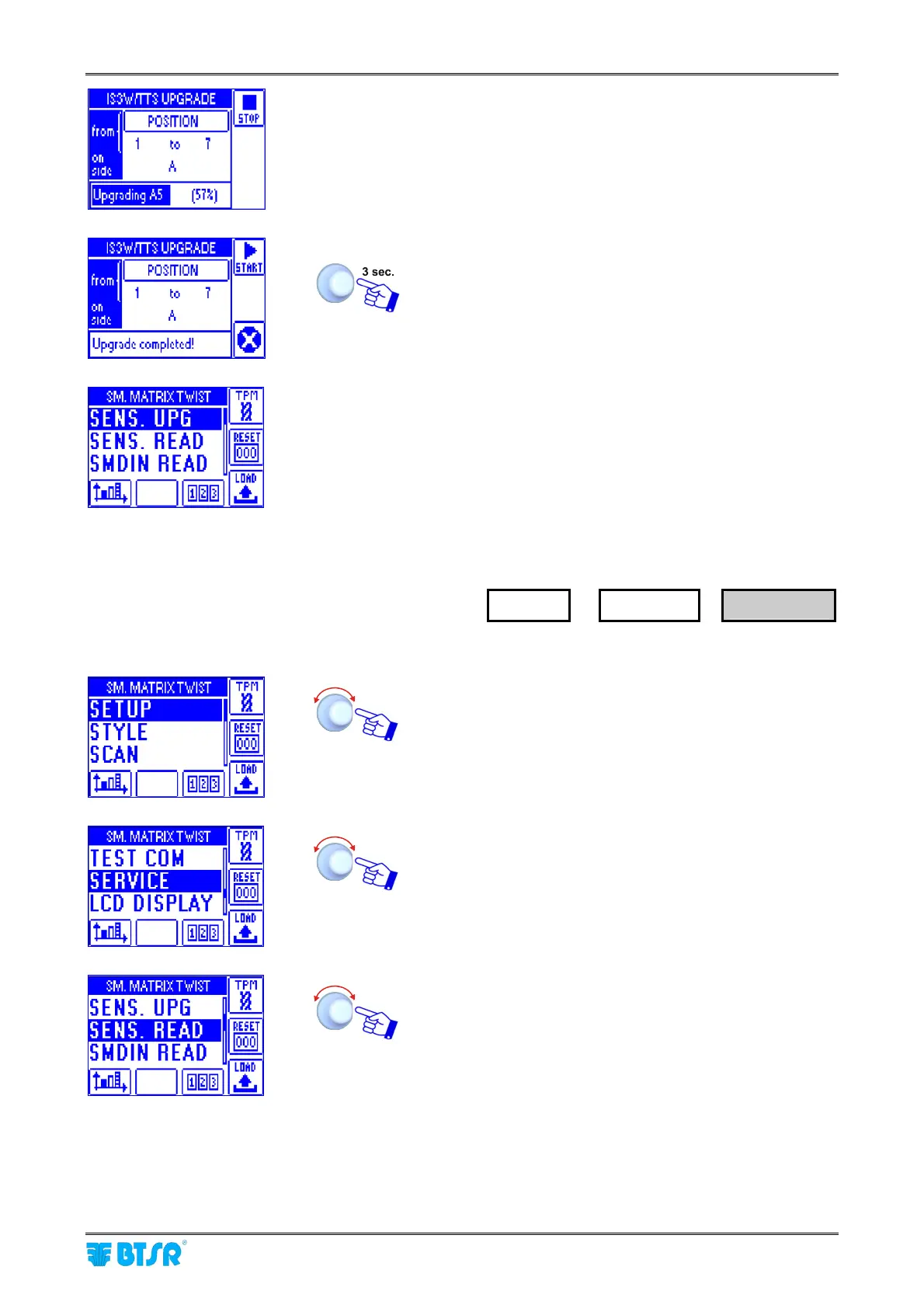
During the firmware upgrade operation, a progress bar will
appear on the bottom side of the screen, which indicates
the percentage of already upgraded sensors.
At the end of upgrading process, the bar will show Upgrade
completed!
Note: At any time, you can interrupt the upgrading
process, pressing the STOP button.
return to SERVICE menu.
How to Read the Parameters
Currently Programmed on Sensors
Enter the SETUP menu.
Select SERVICE.
Select SENS. READ.
SETUP
→
SERVICE
→
SENS. READ









 To Next Page