Service Functions
SMART MATRIX TWIST - 2-24 -
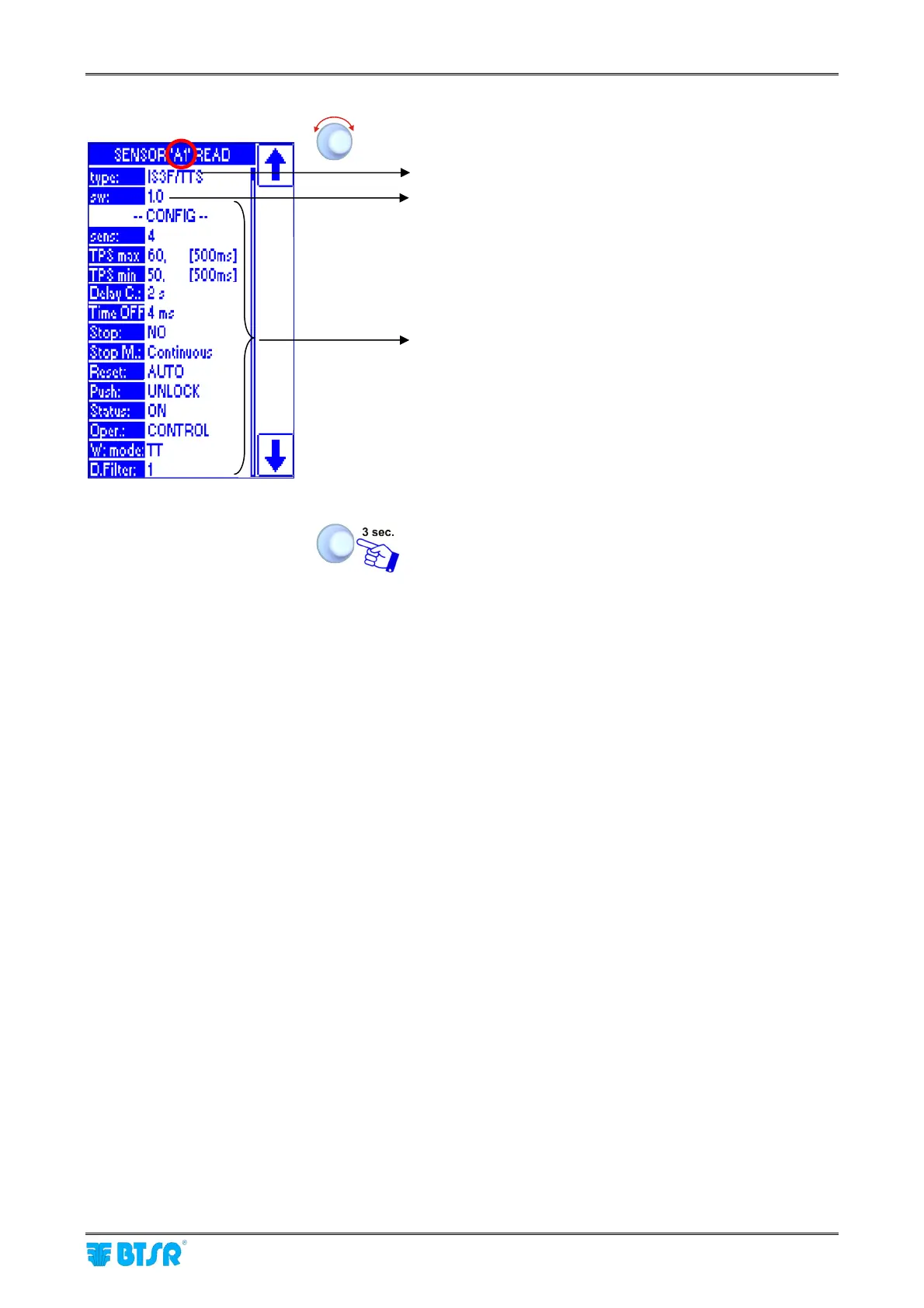
Turn the selector to choose the desired sensor (indicated
on the header) (in this example “A1”).
Type of selected sensor
Firmware revision of A1 sensor
Values setup for the article (style) currently loaded on A1
sensor.
To return to SERVICE menu.
For more details about the meaning of each parameter, please refer to Section 3 “Characteristics of
IS3.. Sensors”.
For more details about the parameter setting procedures, please refer to STYLE menu.









 To Next Page