Style Parameters Programming
SMART MATRIX TWIST - 2-31 -
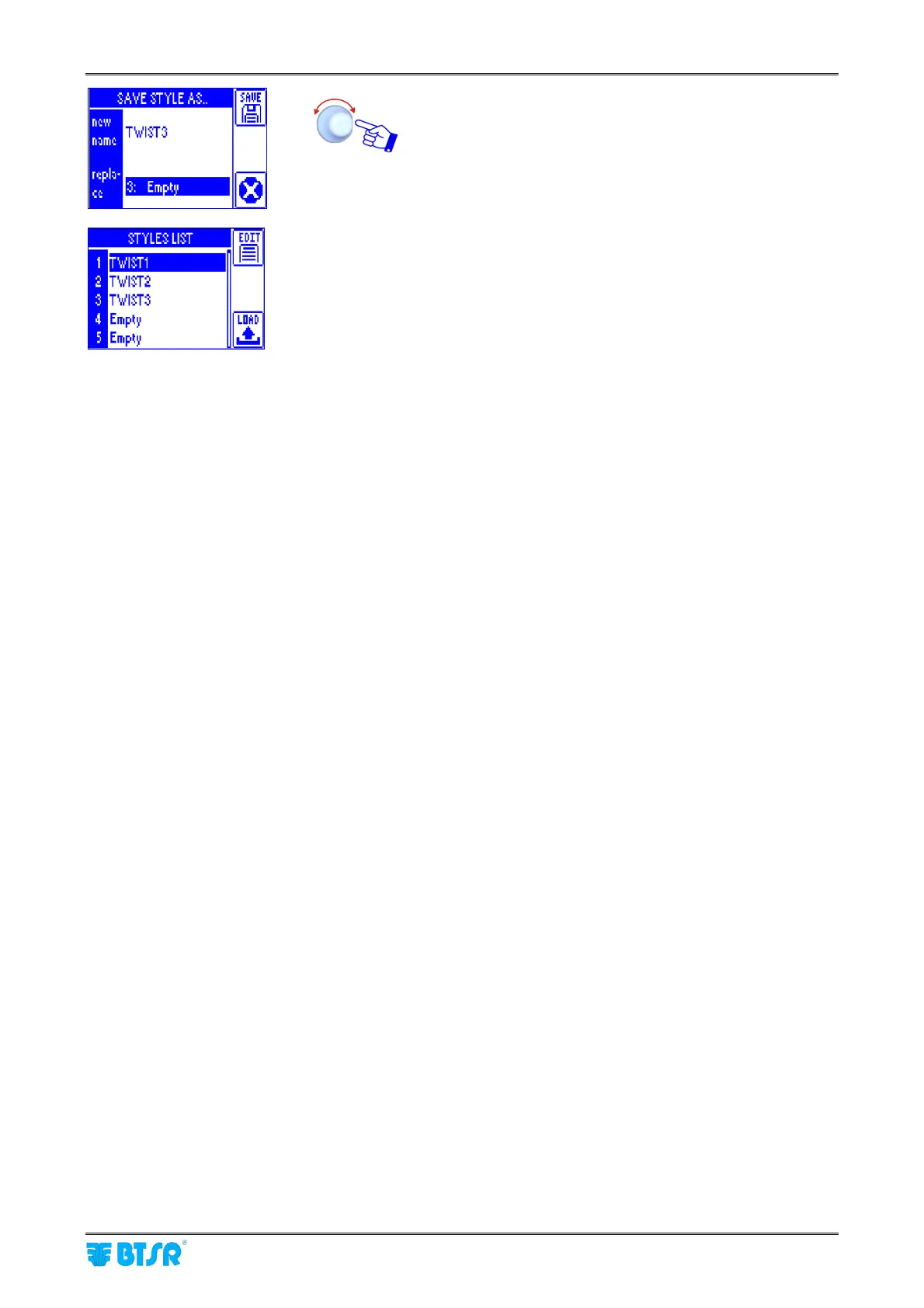
Select the style database position where you want to load
the new TWIST3 style.
Note: in the example shown to the left the TWIST3 style
will overwrite the 3: Empty position.
Then press the SAVE button.
The position 3 is now occupied by TWIST3 style.
Press the LOAD button if you want to load the new style to
the relevant sensor.
If you change a style currently loaded on one or
more machine sensors, after the saving the modified
style will automatically be loaded to the involved
sensors.









 To Next Page