IS3x/TTS Sensor Features
SMART MATRIX TWIST - 3-3 -
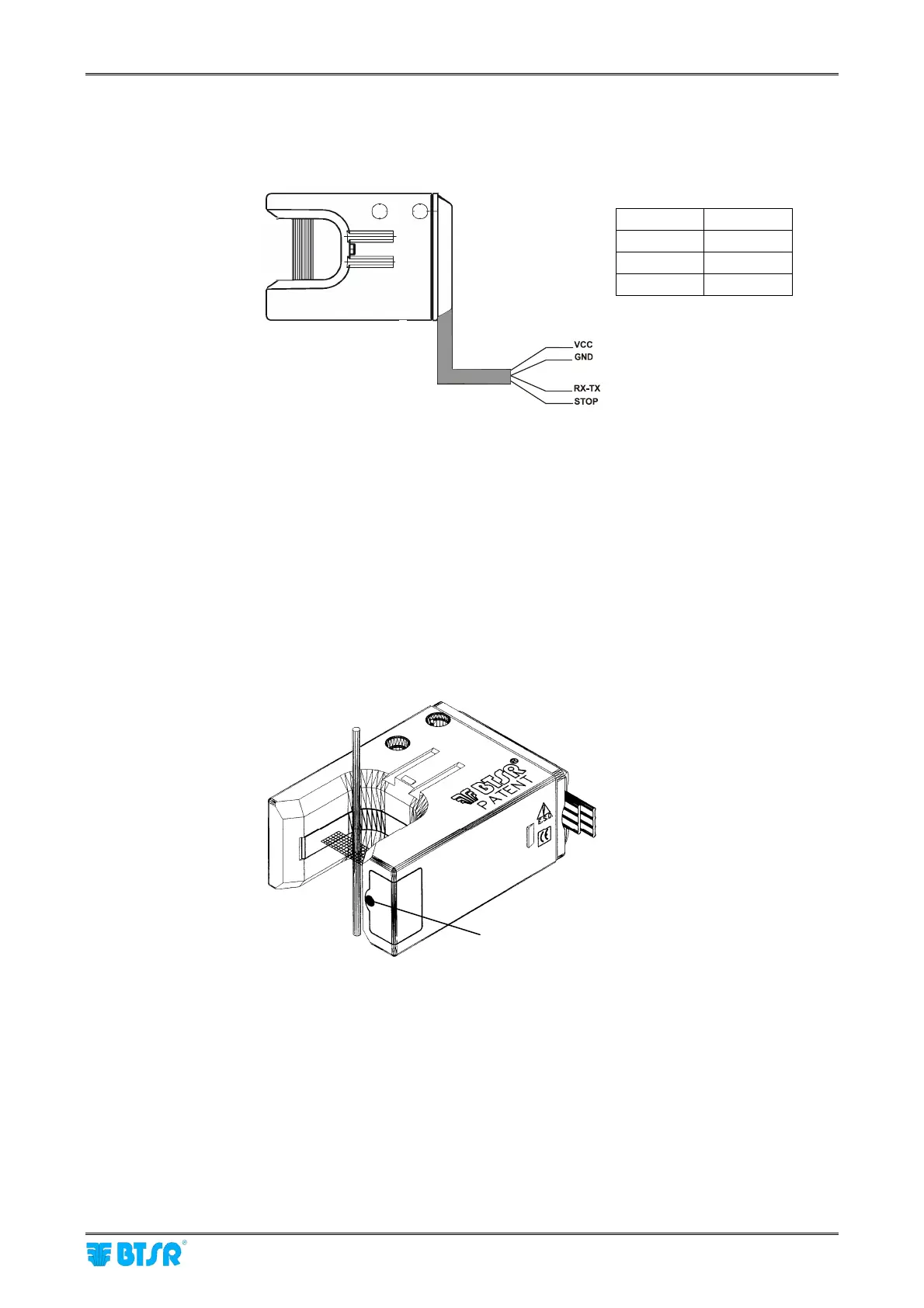
Installation of IS3W-TTS sensors with built-in cable
When you use the IS3W-TTS sensor with built-in cable, independently of the type of connector used, the
wire assignment will always be the following:
Sensor – Operator Interface
The interface between sensor and operator consists of the following:
• 1 optical button (Touch Light) used by the operator to number the sensor during the first installation or
replacement, to activate/deactivate the sensor and to reset the sensor after a failure.
To switch the touch light, just skim it with a finger.
• 2 signally Leds (green ad red) indicating the sensor’s status (initial numbering status, normal operation
status, failure condition and type of failure).
Touch Light
(embedded green and red Leds)
VCC
Red
GND
White
RX-TX
Blue
STOP
Black









 To Next Page